Best UC Solutions for Remote Teams: A UK Buyer’s Guide
Teams, Google Workspace, Zoom, RingCentral, 8x8 and more compared for UK remote teams, with the checks that matter: UK numbers, 999, security and the 2027 landline switch-off.
 7 min read
Comments: 0Views: 3
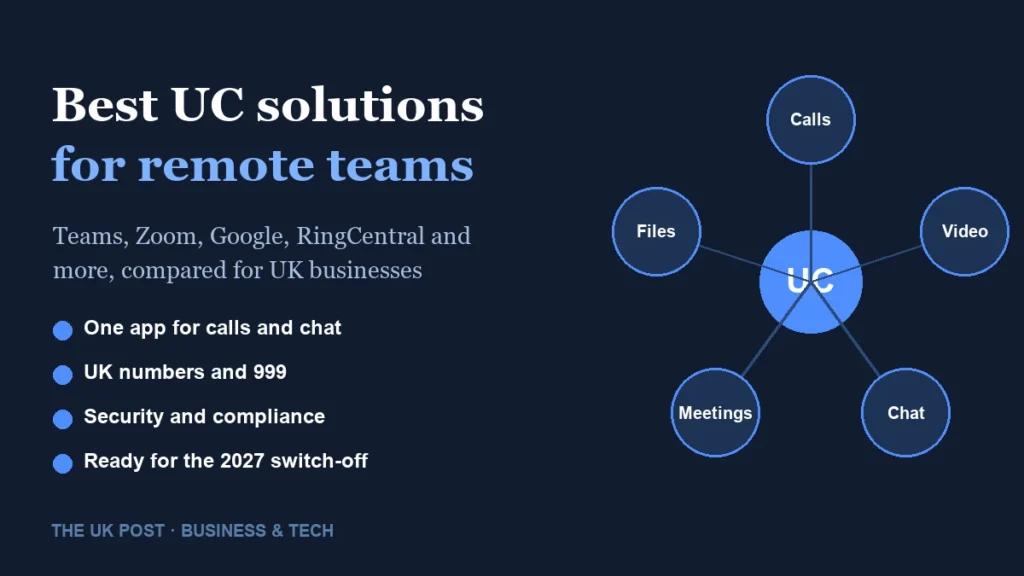
Short answer: for most remote teams, the best unified communications (UC) solution is the one built around the office suite you already use: Microsoft Teams (with Teams Phone) if you run Microsoft 365, or Google Workspace with Google Meet and Voice if you run Google. If phone calls are central to your business, a dedicated cloud phone platform such as RingCentral, 8×8, Zoom Workplace with Zoom Phone or Dialpad usually gives better call features and integrations. Whatever you choose, UK businesses should check five things: UK phone numbers and number porting, reliable 999 calling with location, UK data residency and security certifications, integration with the tools you already use, and readiness for the end of traditional landlines, which most providers aim to finish by January 2027.
What Is Unified Communications?
Unified communications brings voice calls, video meetings, team chat, file sharing, voicemail and sometimes contact-centre tools into one platform, available on laptops, phones and desk phones. Delivered from the cloud, it is often called UCaaS (unified communications as a service). For remote and hybrid teams, it replaces the office phone system and the patchwork of separate apps with one place to talk and work together.

The Main UC Platforms Compared
| Platform | Best for | Strengths | Watch out for |
|---|---|---|---|
| Microsoft Teams (with Teams Phone) | Businesses already on Microsoft 365 | Chat, meetings, files and calling in one place; deep Office integration | Phone calling usually needs an add-on licence and a calling plan or operator connect provider |
| Google Workspace (Meet, Chat, Voice) | Google-based businesses | Simple, browser-based, strong collaboration in Docs and Drive | Check Google Voice availability and features for UK numbers on your plan |
| Zoom Workplace (with Zoom Phone) | Meeting-heavy teams | Reliable video, familiar to clients, phone and contact-centre add-ons | Chat and document collaboration are less central than in Microsoft or Google |
| RingCentral | Call-centric businesses | Mature cloud phone system, integrations with CRMs, analytics | Can be more than a small team needs |
| 8×8 | Teams needing phone and contact centre together | Combined UC and contact-centre options, international calling plans | Compare tiers carefully |
| Dialpad | Sales and support teams | AI transcription and call summaries built in | Check UK data handling for AI features |
| Cisco Webex | Larger or regulated organisations | Enterprise security, hardware range | More complex to manage |
| Slack (with Huddles) | Chat-first teams | Excellent messaging and integrations | Not a full phone system on its own |
Product names, features and prices change often, and most providers sell through UK partners with their own bundles, so compare current plans directly. Pricing is almost always per user per month, with cheaper tiers for meetings and chat only and higher tiers for full phone systems and contact centres.
How to Choose: Five UK Checks
Choosing a UC platform in six steps
- UK numbers and porting: make sure you can keep your existing geographic (01/02) and 0800 numbers and get new UK numbers. Ofcom rules give you the right to port numbers when you switch providers.
- Emergency calls: internet-based phone services must let users call 999 and 112. Check how the provider passes your location to emergency services, especially for staff working from home, and keep each user’s emergency address up to date.
- Data and security: look for UK or EU data residency options, encryption, multi-factor sign-in, and certifications such as ISO/IEC 27001 and Cyber Essentials (often expected in UK public-sector contracts). Under UK GDPR, call recordings and transcripts are personal data.
- Integrations: calendar, CRM, helpdesk and single sign-on. A UC tool that does not talk to your other systems becomes another silo.
- The landline switch-off: the old copper phone network is being retired, with most lines due to move to digital by the end of January 2027. If you still use traditional business lines, ISDN or analogue phones, moving to a cloud system now avoids a rushed migration.
Features Remote Teams Actually Use
- Softphone apps so staff can make and take business calls from their own number on a laptop or mobile, without revealing personal numbers.
- Call routing and hunt groups so customer calls reach whoever is available.
- Presence showing who is free, busy or in a meeting.
- Voicemail to email and transcription.
- Meeting recordings, captions and notes, increasingly with AI summaries. Check where these are stored and who can access them.
- Analytics on call volumes and missed calls for customer-facing teams.
- Accessibility: live captions and transcription help deaf and hard-of-hearing colleagues; our guide to voice typing and dictation covers related tools.

Getting the Rollout Right
- Start with a pilot group for two to four weeks, including your heaviest phone users.
- Check home broadband: call quality depends on it. Wired connections and decent headsets make a bigger difference than most features.
- Plan number porting carefully and avoid your busiest days.
- Set policies for recording, retention and when to use chat versus calls.
- Train people on the basics: transferring calls, setting status, joining meetings from a phone.
- Keep security tight: multi-factor sign-in, admin controls and regular reviews of who has access. Our tips on staying safe online apply to every account.
Choosing communication tools often goes hand in hand with other decisions about outside support; see our guide to the benefits of outsourcing HR for growing remote teams.
My advice: pick the platform your team will open every day anyway. A brilliant phone system that lives in a separate app nobody checks is worse than a slightly simpler one built into the tool where everyone already chats.
Frequently Asked Questions
What is a UC solution?
A platform that combines calls, video meetings, team chat, voicemail and file sharing in one system, usually delivered from the cloud.
What is the best UC solution for remote teams?
Usually Microsoft Teams or Google Workspace if you already use those suites; RingCentral, 8×8, Zoom Phone or Dialpad if business phone calls are central.
What is the difference between UC and UCaaS?
UC is the idea of unified communications; UCaaS is UC delivered as a cloud service on a subscription.
Can I keep my business phone number?
Yes. Ofcom rules let you port UK numbers when you switch provider. Your new provider usually handles the process.
Can remote workers call 999 on a VoIP system?
Internet phone services must provide access to 999 and 112, but location handling varies. Keep each user’s emergency address updated and have a mobile available as back-up.
Do I need new phones?
Not necessarily. Most systems work through apps on computers and mobiles; desk phones and headsets are optional.
Does Microsoft Teams include phone calls?
Teams includes internal calls and meetings. External phone calling usually needs Teams Phone plus a calling plan or a connected operator.
How does the landline switch-off affect businesses?
Traditional analogue and ISDN lines are being retired, with most moving to digital by January 2027. Businesses still on them should plan a move to digital or cloud phone systems.
How much do UC solutions cost?
They are priced per user per month, from low-cost meeting and chat plans to higher tiers with full phone systems. Compare current UK plans directly.
Are call recordings covered by UK GDPR?
Yes. Recordings and transcripts are personal data, so you need a lawful basis, clear notices and sensible retention periods.
Final Thoughts
The best unified communications set-up for a remote team is the simplest one that covers calls, meetings and chat in the tools people already use, with UK numbers, dependable 999 access and solid security. Pilot it with real users, fix home connections and headsets, and move off old phone lines before the 2027 switch-off forces your hand.
Sources: Provider product documentation (Microsoft, Google, Zoom, RingCentral, 8×8, Dialpad, Cisco, Slack); Ofcom guidance on number porting and access to emergency services for internet phone services; GOV.UK guidance on the digital landline switchover; NCSC Cyber Essentials; ICO guidance on UK GDPR and call recording.