Automatic Typing: Voice Typing, Text Expanders and Auto Typers (UK)
How to make your computer type for you: free voice typing, text expanders, auto typers and predictive text, with UK accessibility help.
 9 min read
Comments: 0Views: 4
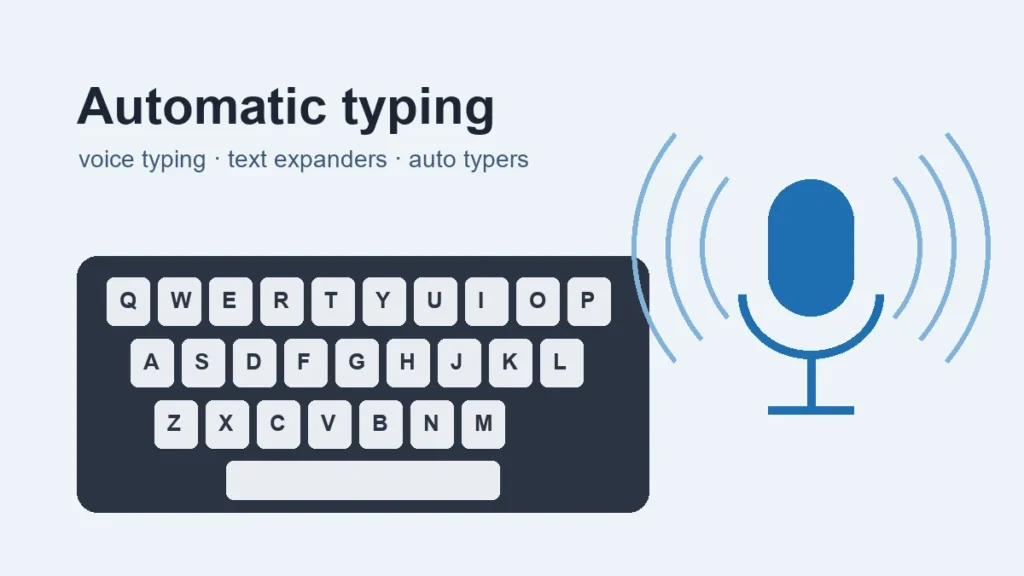
Short answer: “automatic typing” means getting your computer or phone to type for you, and there are three main ways to do it. Voice typing turns speech into text and is built into Windows, Macs, iPhones, Android phones, Google Docs and Microsoft Word for free. Text expanders type a whole phrase, address or email when you enter a short code. Auto typers simulate keystrokes to type pre-set text into any window. For most people, the free built-in tools are enough. If you have dyslexia, RSI or another condition that makes typing hard, the UK government’s Access to Work scheme can help pay for specialist software at work.
The Three Types of Automatic Typing
| Type | What it does | Best for | Examples |
|---|---|---|---|
| Voice typing (dictation) | Turns your speech into text as you talk | Long emails, documents, notes; anyone who finds typing slow or painful | Windows voice typing, Mac Dictation, Google Docs voice typing, Word Dictate |
| Text expanders | Replace a short code with a longer phrase | Repeated phrases, addresses, email replies, customer service | Built-in text replacement on Mac and iPhone; TextExpander; Espanso; AutoHotkey |
| Auto typers | Simulate keystrokes to type set text into any app | Data entry into systems that block copy and paste | Various free and paid desktop apps and browser extensions |
| Predictive text and autocomplete | Suggest the next word or finish a sentence | Faster everyday typing on phones and in email | Phone keyboards, Gmail Smart Compose, Windows text suggestions |
Voice Typing: The Easiest Way to Type Without Typing
Voice typing has improved enormously and copes well with British accents. It is free on almost every device:
- Windows 11: press the Windows key + H in any text box to start voice typing. Windows 11 also has Voice access, which lets you control the whole computer by voice.
- Mac: press the Fn or Globe key twice (or the microphone key on newer keyboards) to start Dictation. You can change the shortcut in System Settings, under Keyboard.
- iPhone and iPad: tap the microphone on the keyboard.
- Android: tap the microphone on Gboard or your phone’s keyboard.
- Google Docs: in the Chrome browser, open Tools > Voice typing, set the language to English (UK) and click the microphone.
- Microsoft Word: with Microsoft 365, click Dictate on the Home tab.
Tips for better results: use a headset or a quiet room, speak in full sentences at a steady pace, and say punctuation out loud (“comma”, “full stop”, “new line”). Set the language to English (United Kingdom) so you get British spellings such as “colour” and “organise”. The same voice assistants can also run your lights and heating; see our guide to integrated home automation.
Start voice typing in under a minute
Text Expanders: Type Less, Say the Same
A text expander replaces a short code with a longer piece of text. Type ;addr and your full address appears; type ;thx and a polite thank-you paragraph appears. If you send similar emails all day, this can save hours a month.
- Mac: System Settings > Keyboard > Text Replacements. Add a shortcut and the phrase it should become. It syncs to your iPhone and iPad.
- iPhone and iPad: Settings > General > Keyboard > Text Replacement.
- Android (Gboard): add shortcuts through Gboard’s personal dictionary in its settings.
- Windows: there is no built-in text replacement across all apps. Popular options are Espanso (free and open source), AutoHotkey (free, for Windows) and TextExpander or PhraseExpress (paid, with team features).
- Microsoft Word and Outlook: AutoCorrect and Quick Parts can store reusable text.
A good habit is to start every shortcut with a symbol, such as a semicolon, so it never triggers by accident in normal writing.
Auto Typers: What They Are and When to Use Them
An auto typer is a program that “types” text by sending simulated keystrokes to whatever window is active. Because it acts like a real keyboard, it works in apps that block copy and paste, such as some older business systems and data entry forms. Many let you set the typing speed and add delays.
They are useful for legitimate repetitive work, such as entering the same reference into many records. But they come with two warnings:
- Security: any program that can type on your behalf, or that asks for keyboard access, could in theory record what you type. Download only from trusted sources, avoid unknown browser extensions, and never use one while entering passwords or bank details. Our guide on how to stay safe online covers the basics.
- Rules: using an auto typer to fake typing tests, get round coursework monitoring or make AI-written text look hand-typed can break school, university or workplace rules. If in doubt, ask first.
Predictive Text and Autocomplete
Predictive text suggests the next word as you type, and features such as Gmail’s Smart Compose offer to finish whole sentences. Windows 11 can show text suggestions with the touch keyboard and, if switched on, with a physical keyboard; look under Settings > Time & language > Typing.
These save time, but they also cause some of the most common mistakes in emails, because the suggested word is often a near miss. Our guide to commonly confused words covers the pairs autocorrect gets wrong most often, and a grammar checker can catch the rest; see our comparison of Grammarly alternatives.
Automatic Typing for Accessibility
For many people, automatic typing is not a convenience but a necessity. Voice typing, word prediction and text-to-speech can make a huge difference for people with:
- dyslexia and other specific learning difficulties
- repetitive strain injury (RSI), arthritis or other conditions affecting the hands and wrists
- visual impairments
- conditions that cause fatigue or limited mobility
Help with costs at work: the UK government’s Access to Work scheme can pay towards assistive technology, such as specialist literacy and dictation software, and training, if a disability or health condition affects your ability to do your job. You can apply online through GOV.UK. It covers England, Scotland and Wales; Northern Ireland has its own scheme.
At school, college and university: students may be entitled to support such as using a word processor or voice recognition, including in exams, under access arrangements. Talk to your school’s special educational needs coordinator (SENCo) or your university’s disability service.
If typing is causing you pain, take regular breaks and look at your setup; the NHS advises seeing a GP if symptoms of RSI do not improve.
Which Should You Use?
| If you want to… | Use |
|---|---|
| Write long text faster or rest your hands | Voice typing (free, built in) |
| Stop typing the same phrases again and again | A text expander |
| Enter set text into a system that blocks pasting | An auto typer, from a trusted source |
| Type a little faster on your phone | Predictive text and swipe typing |
| Get support for a disability at work | Access to Work, plus specialist assistive software |
For more practical tech guides, see our tips on image search techniques.
Frequently Asked Questions
What is automatic typing?
Automatic typing is any method that enters text for you instead of typing every key: voice typing, text expanders, auto typers and predictive text.
How do I turn on voice typing in Windows?
In Windows 11, click in a text box and press the Windows key + H. Speak, and say punctuation such as “comma” and “full stop” out loud.
How do I dictate on a Mac?
Press the Fn or Globe key twice, or the microphone key if your keyboard has one. You can change the shortcut in System Settings under Keyboard.
How do I use voice typing in Google Docs?
Open the document in Chrome, choose Tools > Voice typing, set the language to English (UK) and click the microphone.
What is an auto typer?
A program that types pre-set text by simulating keystrokes, so it works even where copy and paste is blocked.
Are auto typers safe?
Reputable ones can be, but any software with keyboard access is a potential security risk. Download only from trusted sources and never use them while entering passwords or payment details.
Is it cheating to use an auto typer?
It can be. Using one to fake a typing test or get round coursework or exam monitoring may break the rules of your school, university or employer.
What is a text expander?
A tool that replaces a short code with a longer piece of text, such as turning “;addr” into your full address. Macs and iPhones have one built in.
Can I get help paying for typing software if I have dyslexia?
If you are in work, the Access to Work scheme can help pay for assistive technology. Students should ask their school or university about access arrangements and support.
Does voice typing use British spelling?
Yes, if you set the language to English (United Kingdom) in your device or app settings.
Final Thoughts
You probably already own excellent automatic typing tools: voice typing and text replacement are free on most computers and phones, and they are worth ten minutes to set up. Add a text expander if you repeat the same phrases at work, use auto typers carefully and only from trusted sources, and if typing is hard because of a disability or health condition, look into Access to Work.
Sources: Microsoft and Apple support documentation for Windows 11 voice typing and Mac Dictation; Google Docs Help; GOV.UK, Access to Work; NHS guidance on repetitive strain injury; product information from TextExpander, Espanso and AutoHotkey.