
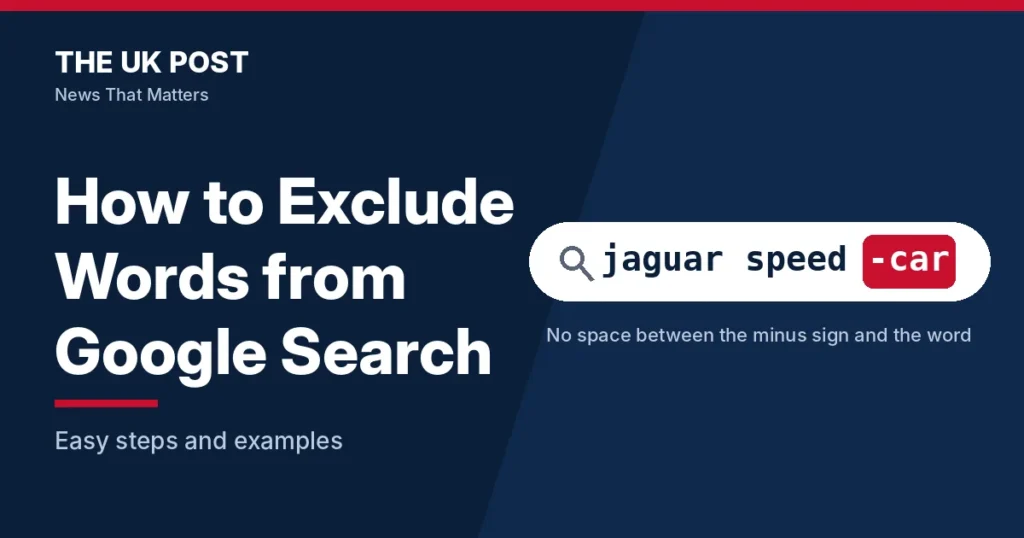
Search for ‘jaguar speed’ and Google may show you cars when you wanted the animal. The fix takes a few seconds: put a minus sign in front of the word you want to hide.
Quick answer
To exclude a word from Google Search, type a minus sign (-) immediately before the word, with no space. For example, searching jaguar speed -car helps find information about jaguar speed without car-related results.
This works on google.co.uk exactly as Google’s help pages describe. The rest of this guide shows how to exclude several words, whole phrases and entire websites, and what to do when the minus sign seems to be ignored.
Google is where most UK searches happen, so these small tricks save time every day. For more numbers like these, see our marketing statistics roundup.
How to Exclude a Word from Google Search
The minus sign (-) is Google’s exclusion operator. It tells Google to leave out results that contain the word straight after it. The pattern looks like this:
your search query -excludedwordTo try it:
- Go to google.co.uk and type your normal search, such as
salsa. - Add a space, then a minus sign, then the word you want gone, with nothing between the minus sign and the word:
salsa -dance. - Press Enter and read the results.
| Search | What you are asking for |
|---|---|
salsa -dance | Pages about salsa the sauce, not the dance |
jaguar speed -car | Pages about how fast the animal runs, not the car brand (Google’s own example) |
apple benefits -iphone | Pages about the fruit’s benefits, without iPhone-related pages |
The golden rule: never leave a space between the minus sign and the word. Google’s help page says not to put spaces between an operator and its search term. With a space, Google no longer reads the minus sign as an instruction.
best laptops -hpbest laptops - hpspace after the minus signbest laptops –hpen dash (–) instead of a minus signHow to Exclude Multiple Words and Exact Phrases from Google Search
How to Exclude Multiple Words
Use a separate minus sign for every word you want to remove, with a space between each one.
query -word1 -word2 -word3laptops -hp -dell -lenovopython tutorials -beginner -advanced
Each minus sign works only on the word attached to it, so -hp -dell removes both words.
How to Exclude an Exact Phrase
To remove a phrase rather than single words, wrap it in double quotation marks and put the minus sign directly before the opening quote.
query -"exact phrase"remote jobs -"data entry"healthy recipes -"air fryer"best laptops -"budget laptops"
The quotation marks matter. Without them, -air fryer only removes the word ‘air’ and still searches for ‘fryer’.
How to Combine Single Words and Phrases in One Search
You can mix both types in one query. This is useful when a search attracts several kinds of unwanted results.
best laptops -gaming -"budget laptops" -refurbishedHow to Exclude an Entire Website from Google Search Results
Sometimes the problem is a website, not a word. One forum or recipe site might fill the first page of results. Add -site: followed by the domain to remove it.
your search query -site:domain.compython tutorials -site:w3schools.comapple pie recipe -site:allrecipes.comSEO tips -site:reddit.com
Type the full domain and leave no space after the colon. Google’s help page shows the working form as site:nytimes.com and says site: nytimes.com, with a space, does not work. Because you name one domain, only that website is removed. Other sites on the same topic stay in the results.
| Search | What happens |
|---|---|
site:youtube.com cats | Shows results from YouTube only |
cats -site:youtube.com | Shows everything except YouTube |
If video results keep crowding the page, add -site:youtube.com. Can’t open the site at all? Our guide on how to unblock YouTube covers that separate problem.
How to Exclude Words from Google Search Using Advanced Search
If you would rather not type operators, Google’s Advanced Search page does it with a form.
Step-by-Step Guide to Using Google Advanced Search
- Open Google Advanced Search (google.co.uk/advanced_search).
- Enter your main search terms in the field at the top of the form.
- Find the field labelled None of these words.
- Type the words you want to exclude.
- Click Advanced Search to see the filtered results.
What Does the None of These Words Option Do?
It removes results that contain the words you enter there. You can enter several unwanted words, and the form turns them into minus-sign exclusions for you.
The form is slower than typing, but it avoids spacing and dash mistakes. Once you know the syntax, typing -word straight into the search box is quicker.
Why Is the Minus Sign Not Working in Google Search?
You Have Added a Space After the Minus Sign
This is the most common cause. A space changes how Google reads your query.
- Wrong:
laptops - hp - Right:
laptops -hp
The same rule applies to other operators, as the earlier site: example showed.
You Are Using the Wrong Dash Character
Three similar-looking characters exist: the hyphen-minus (-), the en dash (–) and the em dash (—). Only the first one works as an operator. Phone keyboards and copy-and-paste can swap it for a longer dash without you noticing. If an exclusion is ignored, delete the minus sign and type it again from your keyboard.
Google Is Still Showing Results Containing the Excluded Word
Google ranks results by relevance. A reply from Google’s Help Community (September 2025) says the minus operator is not always strict, and that a highly relevant page may still appear. That is community guidance, not a formal Google promise, and Google does not publicly guarantee that every page with the word will disappear.
If one specific phrase keeps slipping through, try excluding the broader single word instead of the exact phrase. A community answer suggests this when variations of the phrase appear.
Your Search Query Is Too Broad or Contains Too Many Exclusions
Long lists of exclusions can leave you with few useful results. Start with one or two unwanted terms, check the results, then add more only if you need them. For example, move from laptops -gaming to laptops -gaming -refurbished.
You Are Using the Operator in an Unsupported Search Feature
Google’s documentation covers the minus operator for Search in general. Images, News, Scholar and Shopping are different, and they do not all behave the same way. The next section covers each one.
Does Excluding Words Work on Mobile and Other Google Search Platforms?
| Where you search | Minus operator | What to know |
|---|---|---|
| Google on desktop | Yes | Documented in Google’s Search Help |
| Google app | Yes | Same syntax; no separate mobile version is documented |
| Phone browser | Yes | Same syntax on iPhone and Android |
| Google Images | Yes, with limits | Visually similar images may still appear |
| Google News | Not separately documented | Test it before relying on it |
| Google Scholar | Not confirmed | Has its own search tools; test it |
| Google Shopping | Not reliable | Use the product filters instead |
How to Exclude Words Using the Google App
Type the same syntax into the search box, for example pasta recipes -cream. Some phone keyboards replace a typed hyphen with a longer dash, so check the symbol before you search.
How to Exclude Words on an iPhone or Android Browser
The syntax is identical in a mobile browser, for example cheap flights to Spain -ryanair. It is the same on both sides of the Android vs iPhone divide, because Google documents no phone-specific version. If the exclusion is ignored, retype the minus sign.
Does the Minus Operator Work in Google Images?
Yes. A Google Help Community answer says it works for text and image searches. Try jaguar -car in Images. Image results rely heavily on visual matching, so pictures that look like the excluded subject may still appear.
Does the Minus Operator Work in Google News?
Google’s help page documents the operator for Search in general but gives no News-specific rule, so we can’t promise it works the same way there. Try your query in the News tab and adjust if the excluded word still appears.
Does the Minus Operator Work in Google Scholar?
Scholar has its own search interface and help pages. We could not confirm current support from Google’s Search Help, so test a short query before you rely on it.
Can You Exclude Words in Google Shopping?
Not reliably. A Google Help Community answer says Shopping does not support Search operators, and wikiHow says the same. Use the filters on the Shopping page instead, such as brand or price.
Google Search Exclusion Operator vs Other Search Operators
Excluding a word removes results. Other operators narrow a search or widen it. These are the ones listed on Google’s help page, plus the exclusion versions.
| Operator | Purpose | Example |
|---|---|---|
-word | Excludes a word | jaguar -car |
-"phrase" | Excludes an exact phrase | laptops -"budget laptops" |
"phrase" | Searches for exact wording | "tallest building" |
site: | Limits results to a website | site:youtube.com cats |
-site: | Excludes a website | cats -site:youtube.com |
filetype: | Filters by file format | reports filetype:pdf |
before: | Finds content before a date | astronomy before:2025/11/01 |
after: | Finds content after a date | astronomy after:2025/11/01 |
Exclusion Operator (-) vs Exact Match (“”)
The minus sign removes a word. Quotation marks demand exact wording. jaguar speed -car drops car pages, while "tallest building" only returns pages with that exact phrase. Put them together as -"budget laptops" to remove an exact phrase.
Exclusion Operator (-) vs Site Operator (site:)
site: keeps results from one website, and -site: removes them. The formats are site:domain.com and -site:domain.com.
Exclusion Operator (-) vs OR
The minus sign removes unwanted terms. OR does the opposite and widens a search to include alternatives, as in cats OR dogs. OR is widely used, but Google’s help page does not list it among its popular operators, so treat it as a useful extra rather than a documented one.
Can You Combine Google Search Operators?
Yes. Here is one query that uses three operators together:
python tutorials -beginner -site:w3schools.com filetype:pdfIt looks for PDF files about Python tutorials, drops pages mentioning ‘beginner’ and removes one website. Each operator trims the results a little more.
SEO professionals use combined queries for competitor research. To automate that research, our guides to Semrush alternatives and SE Ranking vs Moz are a good next step. If you also want to see how brands appear in AI-generated answers, read about AI search visibility tools.
Quick Reference: Google Search Exclusion Examples
| What you want to do | Search syntax | Example |
|---|---|---|
| Exclude one word | -word | salsa -dance |
| Exclude multiple words | -word1 -word2 | shoes -nike -adidas |
| Exclude an exact phrase | -"phrase" | jobs -"data entry" |
| Exclude a website | -site:domain.com | recipes -site:pinterest.com |
| Combine different exclusions | Multiple - operators | laptops -gaming -"budget models" |
Frequently Asked Questions About Excluding Words from Google Search
How do I exclude a specific word from Google Search?
Type a minus sign directly before the word, with no space. For example, jaguar speed -car removes car-related results.
How do I exclude multiple words from a Google search?
Put a separate minus sign before each unwanted word, for example laptops -hp -dell -lenovo.
How do I exclude an exact phrase from Google Search?
Wrap the phrase in double quotation marks and put the minus sign directly before the opening quote, for example remote jobs -"data entry".
Why does Google still show results containing my excluded word?
Check for a space after the minus sign and make sure you typed a hyphen-minus, not a longer dash. Google also ranks by relevance, so a highly relevant page can still appear, and some search features, such as Shopping, handle operators differently.
Can I exclude a website from Google Search results?
Yes. Add -site:domain.com to your search, for example SEO tips -site:reddit.com.
Can I exclude words without using search operators?
Yes. Use the None of these words field on Google Advanced Search.
Does excluding words work on the Google mobile app?
Yes. You enter the same syntax in the search box. Google documents no separate mobile version.
Can I exclude words from Google Images?
Yes, but results are matched partly by how images look, so some similar pictures may remain.
Does Google Search have a limit on how many words I can exclude?
Google does not publicly document a maximum number of excluded terms. Keeping queries short usually gives better results.
Is Google’s minus operator still working in 2026?
Yes. Google’s current Search Help page, checked on 10 November 2026, still lists the exclusion operator.
Sources
- Google Search Help: Refine Google searches
- Google Search Help: Learn search tips
- Google Advanced Search
- StatCounter Global Stats: Search engine market share in the United Kingdom
- Search Engine Land: Google now sees more than 5 trillion searches per year
- Google Help Community: Exclude words from search not working