How to Fill Out a Fax Cover Page (Free UK Template and Example)
Every box on a fax cover page explained, with a filled-in example, a free printable UK template, a fill-and-print tool and tips on confidentiality and online fax.
 8 min read
Comments: 0Views: 2
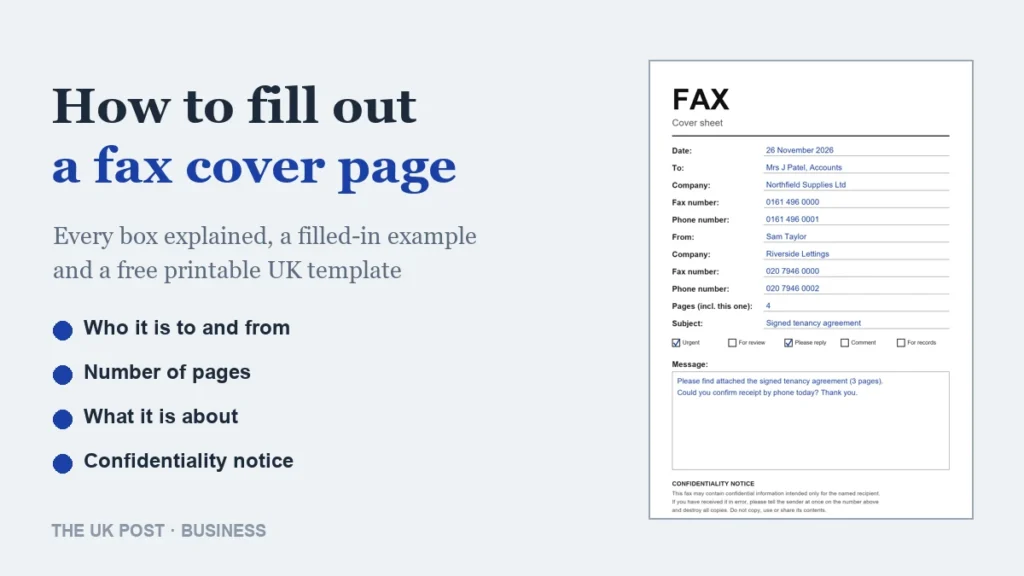
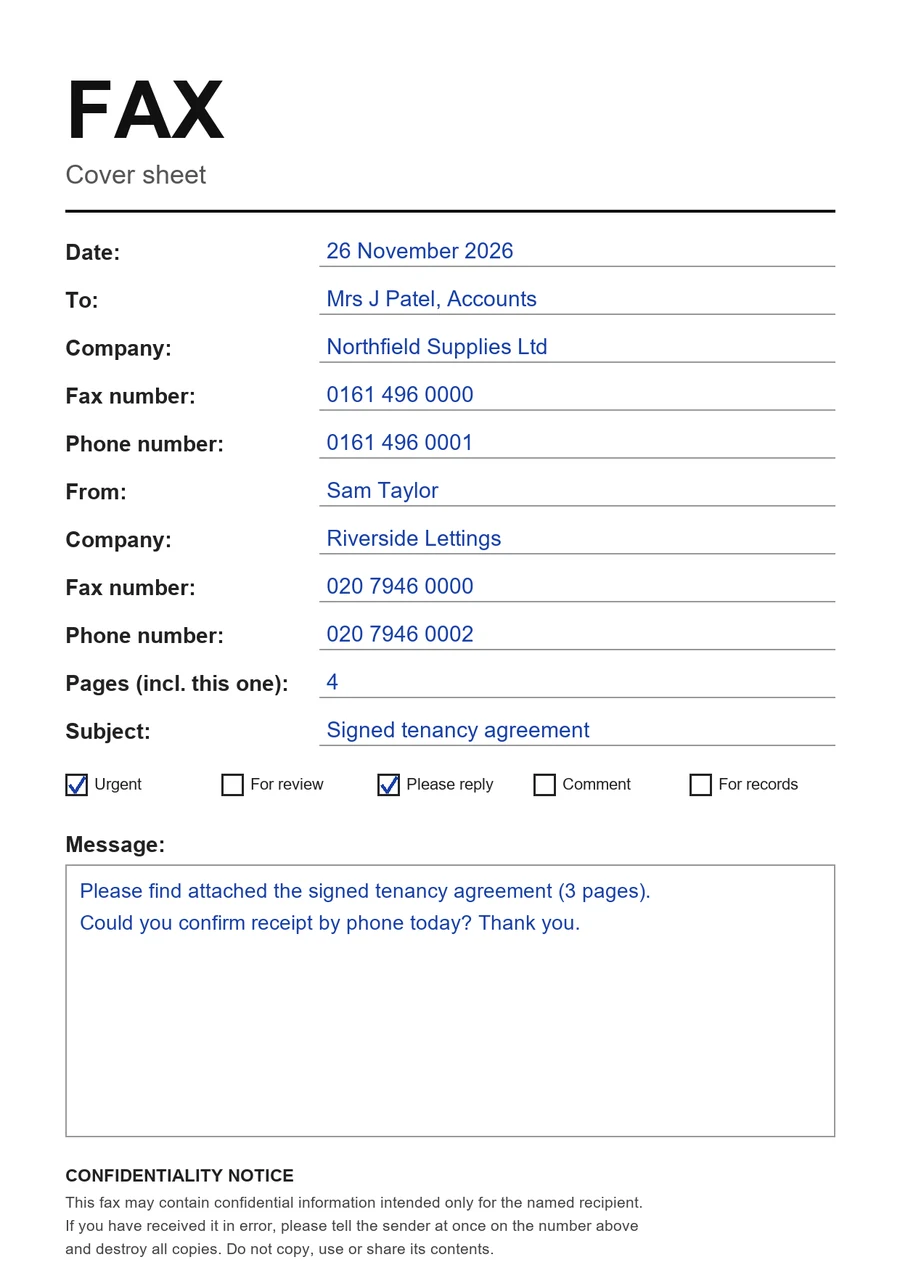
Short answer: to fill out a fax cover page, write the date, the recipient’s name, company and fax number, your own name, company, fax and phone number, the total number of pages including the cover, and a short subject line; tick any action box such as “Urgent” or “Please reply”; add a one- or two-line message; and keep a confidentiality notice at the bottom. The cover page goes on top of the documents you are faxing, so whoever collects them at a shared machine knows who they are for and whether any pages are missing. Below you will find every box explained, a filled-in example, a free printable UK template, and a tool that fills one in for you.
What Goes on a Fax Cover Page
| Field | What to write | Why it matters |
|---|---|---|
| Date | The date you send it, written in full (26 November 2026) | Avoids confusion between UK and US date formats |
| To | The recipient’s full name and department | Shared machines serve whole offices |
| Company | The recipient’s organisation | Helps if the fax reaches the wrong office |
| Fax number (recipient) | Their full fax number with area code | Lets them check it reached the right machine |
| From | Your full name | So they know who to contact |
| Your fax and phone numbers | Both, with area codes | So they can reply or report missing pages |
| Number of pages | The total, including the cover page | The only way to spot a page that did not come through |
| Subject or reference | A short description, plus any reference number | Helps the recipient file it |
| Action boxes | Tick Urgent, For review, Please reply and so on | Tells them what you want them to do |
| Message | One or two sentences of context | Explains what is attached |
| Confidentiality notice | A short standard statement | Asks anyone who receives it in error to tell you and destroy it |
How to Fill It Out, Step by Step
A fax cover page in six steps
- Start with the recipient. Write their name, department and company exactly as they would recognise them. If you only know the department, write that clearly, for example “Accounts Payable”.
- Double-check the fax number. Read it back from the original source, such as an email signature or letterhead. A wrong digit sends your documents to a stranger.
- Add your details. Name, company, fax number and a direct phone number.
- Count the pages last. Count everything you are sending, then add one for the cover page. Write “4 (including this page)” so there is no doubt.
- Write a clear subject. “Signed tenancy agreement, ref RL-2291” is better than “Documents”.
- Tick what you need. If you need a reply, tick “Please reply” and say by when in the message.
- Keep the message short. The cover page introduces the documents; it is not a letter.
- Check the confidentiality notice is there, especially for personal or financial information.
Fill In and Print a Fax Cover Sheet
Type your details below and press “Print cover sheet”. Nothing you type is sent anywhere; it stays in your browser.
Prefer a blank form to fill in by hand? Download the free printable UK fax cover sheet (A4 PDF).
A Sample Confidentiality Notice
You can adapt this wording:
“This fax may contain confidential information intended only for the named recipient. If you have received it in error, please tell the sender immediately on the number above and destroy all copies. Do not copy, use or share its contents.”
A notice like this does not make a mistake legal, and it is no substitute for checking the number. Under UK GDPR, organisations must keep personal data secure, and sending someone’s personal details to the wrong fax machine can be a reportable data breach. For anything sensitive, ring ahead so the recipient is standing by the machine.
Is Anyone Still Using Fax in the UK?
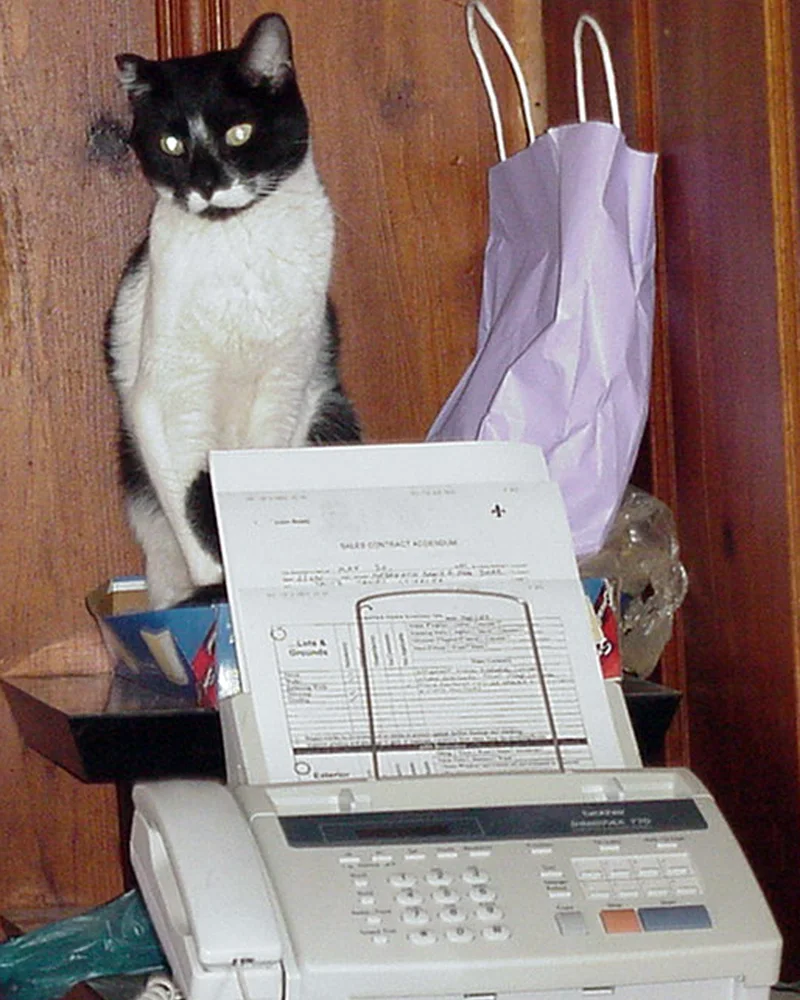
Less than you might think, but more than none. The NHS was famously one of the biggest users: in 2018 the Royal College of Surgeons found thousands of fax machines still in use, and the government banned NHS organisations from buying new fax machines from January 2019, with a target to phase them out by 31 March 2020 in favour of secure email. Faxes are still used by some solicitors, pharmacies, insurers, overseas organisations and businesses with older systems, and some forms still ask for a fax number.
Today most “faxes” are sent through online fax services, which let you send and receive faxes as PDF attachments by email or app, without a machine or phone line. That matters because the UK’s old copper phone network is being switched off, with most lines moving to digital by January 2027, and traditional fax machines can be unreliable on digital lines. If you still rely on a fax machine, check with your provider before your switch date.
A Short History: The Scottish Inventor of Fax
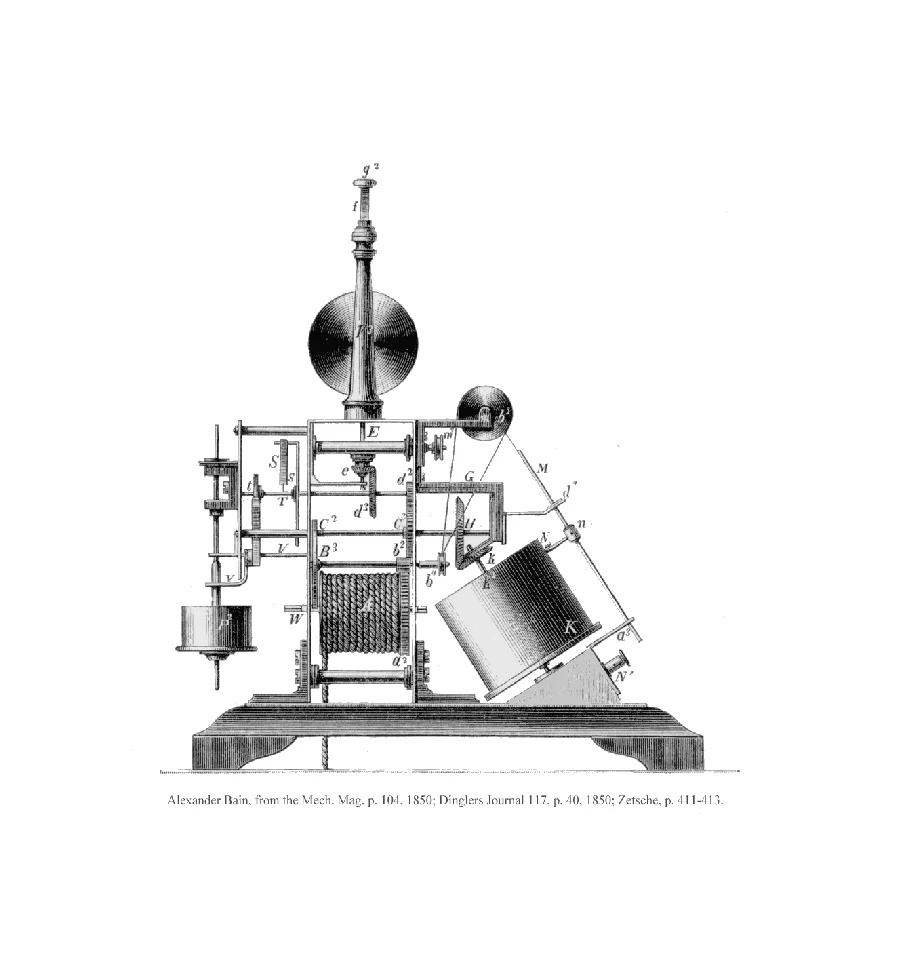
The fax machine is older than the telephone. In 1843 the Scottish clockmaker Alexander Bain received a British patent for a way of sending images over telegraph wires using synchronised pendulums, the basic idea behind every fax machine since. Commercial picture telegraphy followed in the 19th century, and desktop fax machines became a fixture of offices in the 1980s and 1990s before email took over.
Common Mistakes to Avoid
- Forgetting to include the cover page in the page count.
- Writing dates in a format that can be misread abroad (03/04 can mean March or April).
- Leaving out a phone number, so the recipient cannot report missing pages.
- Using dark or patterned paper, which wastes toner and can come through as a black page.
- Sending sensitive information without checking the number or warning the recipient.
- Writing long messages; put the detail in the attached documents.
My advice: keep a saved, half-completed cover sheet with your own details already filled in. Then each fax only needs the recipient, the date, the page count and a subject line, and you are far less likely to make a mistake in a hurry.
The same principle applies to email: a clear, complete professional email signature does the job a fax header used to do. And for keeping documents and personal data safe, see our tips on staying safe online.
Frequently Asked Questions
What should be on a fax cover sheet?
The date, recipient’s name, company and fax number, your name, company, fax and phone numbers, total pages including the cover, a subject, any action boxes, a short message and a confidentiality notice.
Do you count the cover sheet in the number of pages?
Yes. Count every page you are sending, including the cover sheet, and say so, for example “4 pages including this one”.
Is a fax cover sheet required?
It is not a legal requirement, but it is standard practice and many organisations expect one, especially for shared fax machines.
What do I write in the message section?
One or two sentences explaining what is attached and what you need, for example “Signed contract attached. Please confirm receipt today.”
Do I need a confidentiality notice on a fax?
It is good practice, particularly for personal or financial information, but it does not replace checking the number and keeping data secure.
Can I fax from my computer or phone?
Yes. Online fax services let you send a PDF as a fax and receive faxes by email, without a machine.
Does the NHS still use fax machines?
The NHS was banned from buying new fax machines from January 2019, with a target to phase them out by March 2020 in favour of secure email.
Will my fax machine work after the digital landline switchover?
Not always. Some fax machines struggle on digital phone lines. Check with your provider, or switch to an online fax service.
Who invented the fax machine?
The Scottish inventor Alexander Bain patented the first fax-style system in Britain in 1843.
Where can I get a free fax cover sheet?
Use the printable A4 template or the fill-in tool on this page.
Final Thoughts
A good fax cover page takes a minute to fill in and saves a lot of confusion: who it is for, who it is from, how many pages to expect and what to do with them. Use the template or the tool above, double-check the number, and if you fax regularly, consider an online service before the old phone network disappears.
Sources: GOV.UK, “Health and Social Care Secretary bans fax machines in NHS” (December 2018); NHS England guidance on removing fax machines; Royal College of Surgeons Freedom of Information findings (2018); GOV.UK guidance on the digital landline switchover; Information Commissioner’s Office guidance on personal data breaches; history of Alexander Bain’s 1843 patent.