
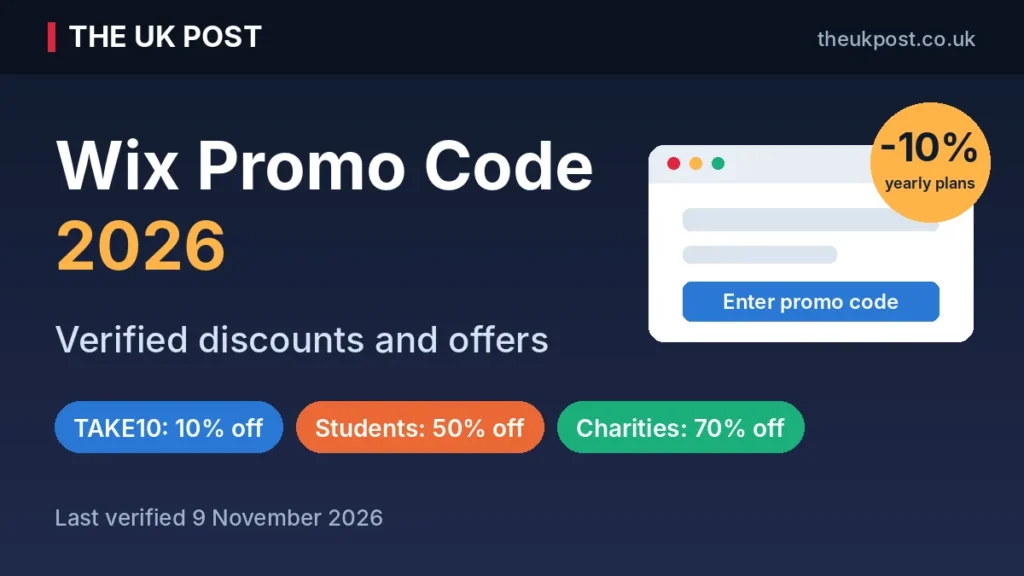
Yes, there is a working Wix promo code. TAKE10 gives you 10% off eligible yearly Premium plans if it is your first purchase. Wix also offers 50% off for verified students and 70% off for charities. There is no promo code for monthly plans.
Last verified: 9 November 2026. We checked Wix’s official promo code page, Help Centre and pricing page on this date. Offers can change without notice, so always confirm the total at checkout before you pay.
Short answer: use TAKE10 on a yearly plan for 10% off the first year. Students should use Student Beans for 50% off. After year one, the plan renews at the standard price.
Wix says the discount covers the first year only, and the code does not work on monthly billing. This guide shows what each offer gives you, who can claim it, how to apply it and what you will pay when it ends.
Wix promo code 2026: verified offers and discounts
These are the offers we could confirm on Wix’s own pages. We have not listed codes found only on coupon sites.
| Offer | Discount | Who can use it | Status (9 Nov 2026) |
|---|---|---|---|
| TAKE10 (promo code) | 10% off | First-time yearly Premium plan purchase | Verified |
| Student discount | 50% off | Verified students through Student Beans, yearly plans | Verified |
| Free domain voucher | 1 year free | Eligible yearly or multi-year Premium plans, new domain only | Verified |
| Charity and non-profit offer | 70% off | Eligible charities on a two-year Premium plan, via TechSoup | Verified |
| “Save 50%” plan badge (automatic sale) | Up to 50% off | Shown on Core, Business and Business Elite yearly plans, no code needed | Shown on pricing page, confirm at checkout |
| Black Friday 2026 deal | Not announced | Check Wix’s official pages | No official announcement found |
The chart shows why the offer type matters. On a plan that costs £192 a year before discounts, TAKE10 saves £19.20, while the student offer saves £96. Neither figure carries into renewal.
TAKE10: the official Wix promo code
TAKE10 takes 10% off a yearly Premium plan. It also applies to ecommerce plans if you choose yearly billing. Wix’s main text says Wix Studio plans are excluded, while another part of the same page mentions Editor X, so read the terms on the page before buying a Studio plan.
- Saving: 10% on the first year only.
- Eligible plans: yearly Premium plans (Light, Core, Business, Business Elite).
- New customers only: it is valid for first-time upgrades.
- After year one: the plan renews at the regular yearly rate, not the discounted one.
Wix first-time customer discount
TAKE10 is a first-purchase offer. Wix’s Help Centre says the promotion is valid for your first purchase only, and the code cannot renew an existing yearly plan. If you already pay for a Premium plan, expect the code to be refused.
When you upgrade an existing yearly plan to a higher one, Wix applies any eligible discount first and then deducts the remaining credit from your old plan.
Is Wix 50% off real?
It is real, but not for everyone and not as a code. There are two separate things behind the “50% off” searches:
- Student discount: 50% off yearly Premium plans after you verify your student status with Student Beans.
- Automatic sale badge: the Wix pricing page currently shows “Save 50%” on Core, Business and Business Elite. This is a displayed sale price, not a promo code, and you should confirm the final price at checkout.
Wix also states that sale prices apply to the first year only. Any website that calls 50% off a permanent or universal Wix code is wrong.
Wix charity and non-profit discount
Eligible charities can get 70% off a two-year Wix Premium plan, which covers one website and includes a one-year free domain voucher. The offer runs through TechSoup:
- Apply through TechSoup. If it approves you, TechSoup emails instructions to claim your Wix subscription.
- You must be a TechSoup member in a supported country.
- Organisations that already have a Premium plan are not eligible, but those on a free Wix site are.
- Each organisation can request one coupon every two years. Wix Studio plans are excluded.
How to apply a Wix promo code at checkout
Step-by-step: using TAKE10
- Go to the official Wix website (check the address says wix.com).
- Log in or sign up and choose a Premium plan.
- Select yearly billing.
- Go to checkout.
- Find the Enter Promo Code box.
- Type TAKE10 and click apply.
- Check that the total has dropped by 10%.
- Complete your payment.
Where to enter a Wix coupon code
The promo code box sits in the order summary on the checkout page, before you submit payment. After applying the code, the discounted total should show straight away. If the price has not changed, the code has not been accepted.
What to do if your Wix promo code does not work
- Check that you chose a yearly plan, not monthly.
- Confirm it is your first Premium purchase, not a renewal.
- Check the plan is eligible. Wix Studio is excluded in the main terms.
- Make sure no other code is already applied.
- Retype TAKE10 in capitals, with no spaces.
- If it still fails on an eligible plan, contact Wix support.
Can you use multiple Wix promo codes?
No. Only one promo code can be used per purchase. Wix does not say whether the automatic sale price can be combined with a code, so the checkout total is the only reliable proof. Pick whichever route gives the lower final price.
Does a Wix promo code work on monthly plans?
No. Wix says promotions cannot be applied to monthly plans. Only yearly plans qualify, and multi-year plans are billed every two or three years. Monthly plans renew automatically each month.
Monthly billing also costs more. UK price comparisons show Core at £19 a month when paid monthly, against £16 a month when billed yearly. Business is £29 monthly against £25 yearly.
Paying yearly saves £36 on Core and £48 on Business, and it is the only way to use a promo code. The trade-off is a bigger upfront payment. To check the final amount, look at the total on the checkout page, including tax, before you confirm.
Wix student discount: 50% off yearly plans
Does Wix offer a student discount?
Yes. Wix gives verified students 50% off Premium plans through Student Beans, and the offer is listed on the Wix promo code page. It is for yearly plans, so monthly billing is not included.
Who is eligible?
Student Beans accepts anyone over 16 in full-time education, including university, college, sixth form and apprenticeships. You must verify your status before you can get the Wix code.
How to claim the Wix student discount
- Create a free Student Beans account and verify your student status.
- Find the Wix offer and click to get your code.
- Choose a yearly Premium plan on Wix.
- Enter the Student Beans code in the promo code box at checkout.
- Check the total, then pay.
Because only one code works per purchase, you cannot add TAKE10 on top. Also check the renewal price before you pay, as discounted plans renew at the standard rate.
Wix free domain, free plan and money-back guarantee
Wix free domain voucher
Most yearly or multi-year Premium plans include a free domain voucher for one year. Some key rules:
- It is for a new domain bought through Wix. You cannot use it for an existing domain.
- You must redeem it within 60 days of buying the plan.
- It is not available on renewals or on upgrades of existing plans.
- After the first year, the domain renews at Wix’s standard domain rate, which varies by domain type.
Does Wix offer a free plan?
Yes, Wix has a free plan with no credit card needed. It includes hosting, the drag-and-drop editor and templates. The limits are what push most people to upgrade:
- Your site shows Wix ads and branding.
- You get a Wix subdomain, not your own domain name.
- Storage is limited to 500 MB.
- Paid plans add a custom domain, more storage and, on Core and above, ecommerce tools.
Does Wix offer a free trial?
Not in the usual sense. The free plan has no time limit but is restricted. For Premium, Wix offers a 14-day money-back guarantee on new plans, so you can pay, try it and cancel within 14 days for a full refund.
Wix pricing plans: how much does Wix cost in the UK?
Wix says prices and currency vary by location, and its global pricing page showed US dollars when we checked on 9 November 2026. The pound prices below come from UK price guides (Startups.co.uk and ExpertMarket) and show the monthly equivalent when billed yearly. Treat them as a guide and confirm your price, including VAT, at checkout.
| Wix plan | Monthly equivalent, billed yearly | With TAKE10 (year one) | Storage | Free domain voucher |
|---|---|---|---|---|
| Free | £0 | n/a | 500 MB | No (Wix subdomain) |
| Light | £9 | £8.10 | 2 GB | Yes |
| Core | £16 | £14.40 | 50 GB | Yes |
| Business | £25 | £22.50 | 100 GB | Yes |
| Business Elite | £119 | £107.10 | Unlimited | Yes |
Wix Free plan
Best for testing the builder or a hobby page. Expect Wix ads and a Wix web address.
Wix Light plan
Best for simple brochure sites, portfolios and blogs. It removes Wix ads and gives you 2 GB of storage, but it is not built for selling online.
Wix Core plan
The cheapest plan for selling online, with payments and basic ecommerce plus 50 GB of storage. Most small shops start here.
Wix Business plan
For growing stores that need standard ecommerce tools and 100 GB of storage. Wix marks it as its recommended plan.
Wix Business Elite plan
For large stores that need advanced ecommerce tools, unlimited storage and an advanced developer platform.
Monthly vs yearly vs multi-year billing
| Billing | How you pay | Promo code? | Renewal |
|---|---|---|---|
| Monthly | Every month | No | Renews monthly until cancelled |
| Yearly | Once a year, upfront | Yes (TAKE10, student) | Renews yearly at the standard rate |
| Two or three years | Once every two or three years | Charity offer uses two-year plan | Renews at the standard rate after the term |
Longer terms usually lower the monthly cost but raise the upfront payment. Wix plans renew automatically unless you turn auto-renewal off.
Wix renewal pricing: what happens after your discount ends?
This is where many coupon sites stay quiet. TAKE10 does not apply to renewals. Wix says the discounted price covers the first year, and later renewals are charged at the regular yearly rate. Sale prices follow the same rule.
| Plan | Year 1 with TAKE10 | Year 2 renewal | Year 1 saving |
|---|---|---|---|
| Light | £97.20 | £108.00 | £10.80 |
| Core | £172.80 | £192.00 | £19.20 |
| Business | £270.00 | £300.00 | £30.00 |
| Business Elite | £1,285.20 | £1,428.00 | £142.80 |
To avoid surprise charges:
- Check the renewal price in your Wix account after purchase.
- Add the domain renewal to your budget, as the free voucher covers year one only.
- Turn off auto-renewal if you do not want the plan to continue.
Wix Black Friday and Cyber Monday deals 2026
Black Friday is 27 November 2026 and Cyber Monday is 30 November. As of 9 November, Wix has not published Black Friday terms on its promo code page. However, its pricing page already shows a “Save 50%” badge on Core, Business and Business Elite, and some deal sites report an early sale.
- No code needed: Wix has not listed a Black Friday code, and sale prices usually apply automatically at checkout.
- First year only: sale prices renew at the standard rate.
- Check the source: trust the Wix pricing page and checkout total, not countdown timers on third-party sites.
- Check again: look again on 27 November and 30 November, because the offer may change.
We will not promise a specific Black Friday discount until Wix confirms it on its own site.
Wix refund policy and cancellation terms
14-day money-back guarantee
New Premium plans, monthly or yearly, come with a 14-day money-back guarantee. Renewals and upgrades of existing plans do not qualify. The refund goes to your original payment method and can take up to 45 business days.
How to cancel a Wix Premium plan
- Cancel from the subscriptions page in your Wix account.
- Within 14 days, cancelling a new plan gets a refund, and the plan is deactivated straight away.
- After 14 days, cancelling turns off auto-renewal and the plan stays active until it expires.
- Cancelling a plan is not the same as deleting your website, so the site itself is not removed.
Are Wix domain purchases refundable?
Domains are separate. The 14-day guarantee does not cover them, although you can contact Wix for a review. You can also turn off auto-renewal so the domain expires at its next renewal date.
How to avoid fake or expired Wix promo codes
Wix publishes its code on its own page and tells you to contact it if the code fails. Many third-party pages do not follow that standard. We apply the same verified-only rule in our Semrush promo code guide. Watch for:
- Click-to-reveal buttons that hide the code.
- Fake countdown timers.
- Expired codes presented as active.
- Claims of 50% to 70% off for everyone, with no plan or billing details.
- Look-alike websites that copy Wix’s name. Check that the address is wix.com before you enter payment details.
Checklist before using a Wix promo code
- Check the code on the official Wix promo code page.
- Choose a yearly plan, not monthly.
- Confirm it is your first purchase.
- Check the expiry date and plan eligibility.
- Look at the final checkout price, including tax.
- Check the renewal price after you buy.
- Ignore any discount claim that has no source.
Is Wix worth buying with a promo code?
A discount lowers the first bill, not the long-term cost, so judge the plan on its renewal price. By type of buyer:
- Personal sites, bloggers and portfolios: Light is usually enough. If you plan to promote the site on social media, our social media statistics show where audiences spend their time.
- Small businesses: Core adds payments and basic ecommerce. Our marketing statistics help you decide how much to put into the site and marketing.
- Online shops: Core or Business, depending on storage and ecommerce needs. TAKE10 helps most on higher plans in pounds.
- Students: the 50% offer makes a Premium plan much cheaper for a portfolio or project.
- Charities: the 70% two-year offer through TechSoup is the biggest saving available.
If you would rather describe a site and let AI build it, see the discounts in our Lovable promo code guide before you choose. Once the site is live, you will need visibility. Our guide to AI search visibility tools covers tracking mentions in AI answers, and cheaper Semrush alternatives can help with SEO on a budget.
Frequently asked questions about Wix promo codes
Does Wix have a promo code right now?
Yes. TAKE10 gives 10% off eligible yearly Premium plans for a first purchase, and the saving lasts for the first year only. Wix’s pricing page also shows an automatic “Save 50%” badge on some plans, which needs no code.
What is the current Wix promo code for 2026?
TAKE10. It is listed on Wix’s own promo code page, which we checked on 9 November 2026.
How do I get 10% off Wix?
Pick a yearly Premium plan, go to checkout, type TAKE10 into the “Enter Promo Code” box and apply it. Check the new total before you pay.
Does Wix offer a first-time customer discount?
Yes. TAKE10 is for first-time upgrades. It does not work on renewals.
Can I use a Wix promo code on monthly plans?
No. Wix says promotions cannot be applied to monthly plans. Only yearly or multi-year purchases qualify.
Is there a Wix promo code for 50% off?
Not as a code for everyone. The 50% figure applies to verified students through Student Beans, and to the automatic “Save 50%” badge Wix shows on selected yearly plans.
Does Wix offer a student discount?
Yes. Verified students get 50% off yearly Premium plans through Student Beans.
How do I get a free domain with Wix?
Buy an eligible yearly or multi-year Premium plan and redeem the voucher within 60 days. It covers one year of a new domain bought through Wix.
Can existing Wix customers use promo codes?
TAKE10 is for a first purchase, so most existing Premium customers will not qualify. Renewals are never eligible.
Can I use multiple Wix promo codes?
No. Only one promo code can be used per purchase.
Why is my Wix promo code not working?
Usually the plan is monthly, it is not your first purchase, the plan is excluded (such as Wix Studio), or a different code is already applied. If TAKE10 still fails on an eligible plan, contact Wix support.
Does Wix offer Black Friday discounts?
Wix has not published Black Friday 2026 terms on its promo page. Black Friday is 27 November 2026 and Cyber Monday is 30 November. Check the plans page for the live price.
Does the Wix promo code work on renewals?
No. The code cannot renew an existing plan, and discounted plans renew at the standard yearly rate.
Does Wix have a free trial?
Wix has a free plan with limits, plus a 14-day money-back guarantee on new Premium plans. It is not a conventional free Premium trial.
Can I get a refund after buying a Wix Premium plan?
Yes, if you cancel a new Premium plan within 14 days. Renewals and domain purchases are not covered by that guarantee.
Does Wix offer discounts for charities?
Yes. Eligible charities and non-profits can get 70% off a two-year Premium plan through TechSoup.
How can I check my Wix renewal price?
Open your Wix account and check the billing and subscriptions area before the renewal date. Wix also shows domain renewal prices in your account.
Final verdict: which Wix discount should you use?
- First-time buyers: use TAKE10 on a yearly Premium plan for 10% off year one.
- Students: claim the 50% Student Beans offer instead, as it saves more.
- Charities: apply through TechSoup for 70% off a two-year plan.
- Everyone: compare the checkout total with the “Save 50%” sale price, then check the renewal price before you pay.
Start on the official Wix promo code page and check the final total before you buy.
Sources
- Wix promo code page
- Wix Help Centre: promotions
- Wix pricing plans
- Wix Help Centre: requesting a refund for a Premium plan
- Wix Help Centre: charity and non-profit discount
- Wix Help Centre: billing for Premium plans
- Startups.co.uk: Wix pricing (UK prices)
- ExpertMarket UK: Wix pricing (UK prices)
- Student Beans UK