
Updating business hours on Google has become a basic but essential task for businesses in 2026. Before driving across town, booking a visit, or even making a phone call, most customers first check Google to see whether a business is open. When those hours are incorrect, the outcome is often immediate and costly: customers arrive at the wrong time and leave disappointed.
The business hours shown on Google come directly from your Google Business Profile. These hours do not update automatically. Any change to your schedule—whether it is for holidays, seasonal adjustments, special events, or permanent shifts—must be updated manually by the business owner or manager.
This article explains how business hours work on Google today, how to update them correctly, and why keeping them accurate matters more than ever for customer trust and real-world visits.
Why Accurate Business Hours Matter
Business hours are one of the most viewed details on a Google listing. For many people, they are the deciding factor in whether to visit a business or move on to another option.
When hours are incorrect, customers may arrive to find closed doors, reduced service, or unexpected delays. Over time, repeated experiences like this can damage trust. Even a well-run business can appear unreliable if its hours are outdated online.
From Google’s side, accurate hours help ensure search results reflect real-world availability. While Google does not promise higher rankings for updates, it consistently emphasizes complete and accurate information as a foundation for a reliable business listing.
Accurate hours help by:
-
Setting clear expectations before a visit
-
Reducing customer frustration
-
Limiting complaints caused by timing issues
-
Keeping information consistent across Search and Maps
How Business Hours Actually Work on Google
A common misunderstanding is that Google automatically updates business hours based on website content, social media posts, or user behavior. That is not how the system works.
Business hours on Google are primarily based on manual input. Owners and managers are responsible for keeping them correct. While Google may sometimes suggest edits or display notices like “Hours may differ,” those signals exist because the system lacks confirmed information.
Important points to understand:
-
Google does not regularly scan your website to update hours
-
Customer-suggested edits may appear if hours seem wrong
-
Holiday periods often trigger “hours may differ” warnings
-
Only confirmed updates from the business owner resolve these issues
Because of this, regular review is essential.
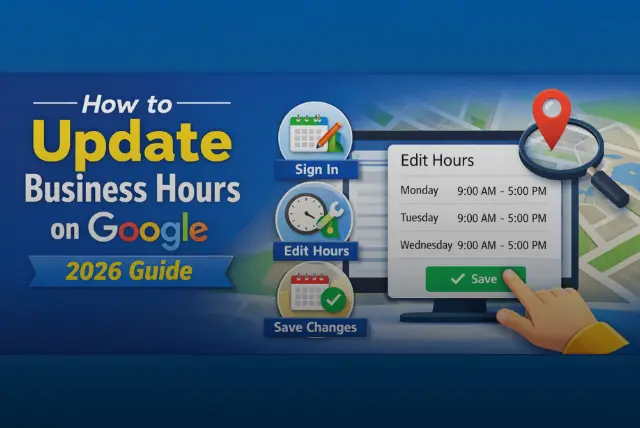
How to Update Business Hours on Google
Updating business hours is straightforward, but accuracy matters.
To update your hours:
-
Sign in to your Google Business Profile
-
Select the business location you manage
-
Open the Info section
-
Find Hours
-
Edit opening and closing times for each day
-
Save your changes
After saving, updates usually appear once Google processes them. The timing can vary, so changes should be made in advance whenever possible.
Using Special Hours for Holidays and Temporary Changes
Special Hours are meant for dates when your regular schedule does not apply. These include public holidays, festivals, one-day closures, or short-term schedule changes.
Special hours do not replace your regular hours. They override them only on the selected dates, which helps prevent long-term mistakes.
To set special hours:
-
Open your Google Business Profile
-
Select the correct location
-
Go to Info → Special Hours
-
Add specific dates and hours or mark the business as closed
-
Save
Using this feature correctly reduces confusion and helps customers plan visits with confidence.
Managing Business Hours for Multiple Locations
Each business location on Google is treated as a separate listing, even when owned by the same company. This means hours must be reviewed and updated for each location individually.
In practice:
-
One location may have different holiday hours than another
-
Seasonal schedules may vary by area
-
Errors at one location do not automatically affect others
Google provides a central dashboard for managing multiple locations, but accuracy still depends on manual review.
Common Issues and How to Avoid Them
Hours Not Updating
Changes may take time to appear. If they do not:
-
Confirm you have owner or manager access
-
Check that changes were saved correctly
-
Review whether a user-suggested edit is causing conflict
Duplicate Listings
Multiple listings for the same business can show different hours. These should be merged or removed to prevent confusion.
“Hours May Differ” Messages
This usually appears when Google lacks confirmed holiday or special-hour data. Adding verified special hours often resolves it.
Business Hours and Local Search Visibility
Google uses business information to help users find relevant local results. While there is no guarantee that updating hours improves rankings, inaccurate or inconsistent information can reduce user engagement.
Accurate hours support visibility by:
-
Reducing abandoned visits
-
Increasing trust in the listing
-
Encouraging users to take action, such as requesting directions or calling
Consistency across platforms matters more than frequent edits.
Mistakes Businesses Commonly Make
Many issues with business hours come from small oversights rather than technical problems.
Common mistakes include:
-
Forgetting to update holiday hours
-
Leaving old seasonal schedules active
-
Showing different hours on Google and the business website
-
Assuming Google will update hours automatically
Avoiding these errors requires regular review, not advanced tools.
Letting Customers Know About Hour Changes
Updating Google is important, but it should not be the only step. Regular customers may rely on other channels.
Helpful ways to communicate changes include:
-
Posting updates through Google Posts
-
Updating hours on your website
-
Sharing changes on social media
-
Displaying clear signage at your location
Clear communication reduces confusion and builds trust.
Set Bank Holiday Hours In Advance
In the UK, bank holidays are the most common reason business hours on Google are wrong. England and Wales have eight bank holidays a year, Scotland and Northern Ireland have their own additional dates, and customers check Google specifically on those days to see whether you are open. Add special hours for each one well in advance, including if your normal hours apply, because confirming that you are open is as useful as saying you are closed. Christmas and New Year deserve particular attention, as hours often change for a whole week.
Use The Additional Hours Types
Many businesses have more than one set of hours, and Google Business Profile lets you publish them separately. Depending on the business category, you can add hours for things such as takeaway, delivery, drive-through, kitchen, pharmacy or appointment-only times, alongside the main opening hours. Using them prevents a common complaint, where a restaurant is open but the kitchen has closed, or a shop is open but click-and-collect has stopped. Accurate detail builds trust with customers and with Google.
Watch For Suggested Edits From The Public
Google accepts suggested edits from users and can apply changes to your profile, including hours, sometimes automatically. Check your profile regularly and review any updates Google flags, because an incorrect public suggestion can go live without you noticing. Responding quickly to incorrect changes, and keeping your own information consistent everywhere online, reduces how often this happens.
Keep Hours Consistent Everywhere
Google compares your listing with other sources, so hours on your website, social profiles and other directories should match. In the UK that includes Apple Business Connect, which controls how your business appears in Apple Maps, and Bing Places, as well as industry directories. Inconsistent hours across sources confuse customers and can prompt Google to question which information is correct. Update them all at the same time whenever your hours change.
Managing Many Locations
Businesses with multiple locations can manage profiles in bulk through a business group, and larger organisations can use spreadsheet uploads or the Business Profile API to update hours across many branches at once. Assign clear ownership of each location’s information, so local managers can flag changes and one person applies them. For seasonal changes across a chain, schedule them in advance rather than editing each location on the day.
Hours And Local Search
Accurate hours help customers directly, and they also support how your business appears in local results, because Google aims to show people businesses that can actually serve them at the time they search. A listing that shows you as open when you are closed produces frustrated visits and poor reviews. Complete, current information, including hours, photos and responses to reviews, is part of maintaining a strong profile over time. For more on the systems side of running a business well, see our strategies for success in a new business.
Best Practices for 2026 and Beyond
To keep hours accurate over time:
-
Review your hours before major holidays
-
Keep schedules consistent across all platforms
-
Assign one person to manage updates
-
Pay attention to customer feedback related to timing
These habits help maintain reliability without extra effort.
Conclusion
Updating business hours on Google is not about optimization tricks or shortcuts. It is about accuracy and trust. Customers depend on this information to plan visits, and businesses are responsible for keeping it correct. In 2026, a few minutes spent reviewing business hours can prevent lost visits, protect your reputation, and ensure customers know exactly when to expect you.
For a real-world example of how trading law shapes store hours, see our guide to Aldi opening times.
FAQs
How long does it take for updates to appear on Google?
Updates usually appear after processing, though timing can vary.
Can different services have different hours?
Yes. Separate listings may be created for services that operate independently.
What if my hours change often?
Update the profile as changes occur and use posts for temporary notices.
How do I show a temporary closure?
Use special hours or mark the business as temporarily closed.
Can business hours be updated from a mobile phone?
Yes. Hours can be edited through the Google Business Profile mobile app.