
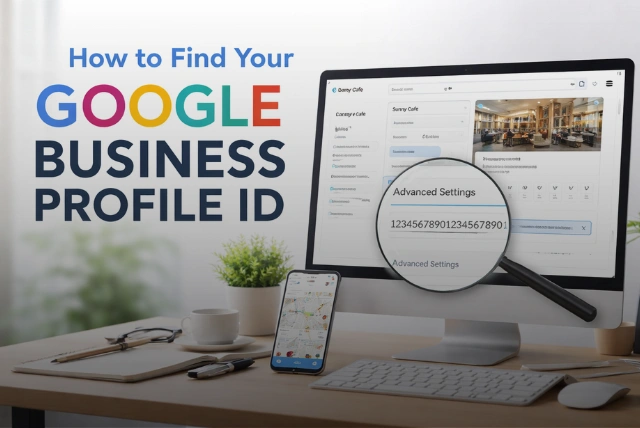
Imagine trying to connect your business to Google Ads or contacting support, and suddenly you’re asked for a number you’ve never seen before—that’s your Google Business Profile ID. Many business owners ignore it until they actually need it, and by then, it becomes frustrating to locate. This small detail, however, plays a powerful role in managing your business online.
According to Google, businesses with complete profiles are 2.7x more likely to be considered reputable and significantly more likely to attract customers. That means understanding your Business Profile ID isn’t just technical—it directly impacts visibility, trust, and growth. In this guide, you’ll learn not only how to find your Google Business Profile ID but also why it matters, how it affects your local SEO, and how to use it strategically to improve your online presence.
What Is a Google Business Profile ID?

Image source: pexels.com
A Google Business Profile ID is a unique numerical identifier assigned to your business listing within Google’s system. Think of it as a digital fingerprint that connects your business across Google Search, Google Maps, Ads, and Analytics. Without this ID, Google wouldn’t be able to accurately track, manage, or display your business information across its platforms.
According to Wikipedia, Google Business Profile allows businesses to manage their online presence across Google services, and each listing is tied to a unique identifier for proper synchronization. This means when you update your business hours, phone number, or address, your ID ensures those changes reflect correctly everywhere.
For example, if you operate multiple branches in different cities, each location gets its own Business Profile ID. This helps Google deliver precise results based on user location. In simple terms, your Business Profile ID is the backbone of your listing, ensuring your business identity stays organized, accurate, and visible across the entire Google ecosystem.
Google Business Profile ID vs Place ID (Important Difference)

Image source: pexels.com
Many people confuse the Google Business Profile ID with the Place ID, but they serve completely different purposes. Understanding this difference is crucial, especially when dealing with Google tools, APIs, or support.
According to Google Developers, a Place ID is designed for developers and is used in Google Maps APIs to identify specific geographic locations. It is mainly used in apps, websites, and technical integrations. On the other hand, the Business Profile ID is used by business owners and marketers to manage listings, track performance, and connect services like Google Ads.
For example, if you’re running a marketing campaign or contacting Google support, you will need your Business Profile ID. But if you’re embedding a map on your website or building an application, you’ll use a Place ID instead. Knowing this difference prevents confusion and ensures you use the correct identifier in the right situation, especially when working with advanced tools or troubleshooting issues.
Why Is Your Google Business Profile ID Important?
Your Google Business Profile ID is not just a technical number—it plays a direct role in how effectively your business performs online. As highlighted in Forbes, Google Business Profiles are one of the most important ranking factors in local SEO.
This ID ensures that all your business data—reviews, photos, updates, and analytics—is correctly linked to your listing. It allows you to connect your profile with Google Ads, helping you target local customers more effectively. It also enables access to valuable insights, showing how users find your business and what actions they take.
According to Statista, over 46% of all Google searches have local intent, meaning users are actively looking for nearby services. Your Business Profile ID ensures your listing is properly indexed and visible in these searches. Without it, managing your presence, optimizing performance, and scaling your business becomes significantly more difficult.
How to Access Your Google Business Profile
Before you can find your Business Profile ID, you need to access your Google Business Profile dashboard. This dashboard acts as your control center, allowing you to manage business details, respond to reviews, and track performance metrics.
According to Google, businesses that actively manage their profiles are more likely to attract customers and improve engagement. This is because updated profiles signal trust and activity to Google’s algorithm, which can improve rankings in local search results.
To access your profile, log in using the Google account associated with your business. Then search your business name on Google. Your management panel will appear at the top of the search results, giving you direct access to editing tools and settings.
For example, a small shop owner can instantly update business hours or respond to customer reviews from this dashboard. Regular access ensures your business information stays accurate, competitive, and visible to potential customers searching online.
Steps to Find Your Google Business Profile ID (Updated 2026)
Finding your Google Business Profile ID is simple once you know where to look, although Google’s interface has changed slightly over time. Understanding the latest method ensures you can quickly access your ID without confusion.
First, log in to your Google Business Profile using the correct account. Next, open your dashboard and navigate to the menu (usually shown as three dots) or “Business Information.” From there, go to “Advanced Settings,” where your Business Profile ID is displayed.
This ID is typically a long numeric string that uniquely identifies your listing. It is essential when connecting tools like Google Ads or when contacting support. If you manage multiple locations, each business will have its own unique ID.
Many agencies store these IDs in spreadsheets or CRM systems to manage multiple clients efficiently. Keeping your ID saved ensures you can access it quickly whenever needed, especially during campaigns or troubleshooting situations.
Alternative Ways to Find Your Business Profile ID
If you cannot access your dashboard, there are alternative ways to retrieve your Business Profile ID. These methods are especially useful for agencies, marketers, or businesses managing multiple listings.
SEO tools like Moz Local or Whitespark can help identify business listing data, including identifiers. Chrome extensions such as GMB Everywhere provide insights directly in your browser, making it easier to analyze listings without logging into the dashboard.
Another reliable option is contacting Google Support. By providing your business name and verification details, they can help locate your Business Profile ID. Large businesses and agencies often use bulk management tools to handle multiple listings and IDs efficiently.
These alternative methods ensure that even if you face login issues or limited access, you still have ways to retrieve and manage your business information effectively, making them essential for advanced users.
Troubleshooting: What If You Can’t Find Your Google Business Profile ID?
If you’re unable to find your Business Profile ID, it’s usually due to common issues such as incorrect login credentials, lack of permissions, or technical glitches.
As reported by BBC, accurate business listings are critical for maintaining customer trust, making it important to resolve these issues quickly.
Start by ensuring you’re logged in with the correct Google account associated with your business. If you’re part of a team, confirm that you have owner or manager access, as lower-level permissions may not show the ID. Clearing your browser cache or switching devices can also fix display issues.
If your business profile is unverified or suspended, certain features—including your ID—may not be visible. In such cases, you’ll need to complete verification or submit an appeal. If problems continue, contacting Google Support is the best option to recover access and retrieve your ID.
Optimizing Your Google Business Profile for Better Rankings
Finding your Business Profile ID is only the beginning—optimization is what truly drives results. According to Forbes, businesses that actively manage their profiles perform significantly better in local search rankings.
Start by keeping your business information accurate and up to date. Encourage customers to leave reviews, as these act as strong trust signals. Businesses with more positive reviews and active engagement tend to rank higher in Google Maps results.
Adding high-quality images and posting updates regularly also improves visibility. You can further boost performance by improving local SEO, getting more Google reviews, and optimizing for Google Maps ranking.
For example, a restaurant that regularly updates photos and responds to reviews can see increased foot traffic within weeks. Consistent optimization ensures your business remains competitive and visible in local search.
Securing Your Google Business Profile
Security is a crucial aspect of managing your Google Business Profile. Losing access or having your profile compromised can lead to incorrect information, lost customers, and damage to your reputation.
According to Google, secure and verified profiles are more trustworthy and perform better in search results.
Enable two-factor authentication (2FA) to add an extra layer of protection. Limit admin access to trusted individuals and regularly review permissions. If an employee leaves your business, remove their access immediately.
Monitoring your profile for unusual changes—such as altered business hours or unauthorized updates—is also important. Keeping a secure record of your Business Profile ID ensures you can quickly recover access if needed. A well-secured profile protects your business credibility and ensures customers always see accurate information.
Verification And Suspensions

Image source: pexels.com
Google may ask you to verify your business by video, phone or postcard before your profile goes live, and it can suspend profiles that break its guidelines, for example by using a virtual office address or stuffing keywords into the business name. Keep documents such as utility bills ready in case you need to appeal.
Keep Your Details Consistent

Image source: pexels.com
Make sure your business name, address and phone number are identical on your Google profile, website and other directories. Consistent details help customers and search engines trust your listing.
Handling Fake Reviews

Image source: pexels.com
You can flag reviews that break Google’s policies, such as spam or conflicts of interest. In the UK, the Digital Markets, Competition and Consumers Act 2024 banned businesses from buying or posting fake reviews, so never pay for reviews. For more marketing tips, see our guide to small business advertising ideas.
Conclusion
Your Google Business Profile ID may seem like a small detail, but it plays a major role in managing your online presence. From improving local SEO to connecting tools like Google Ads and resolving support issues, this ID ensures everything runs smoothly.
By understanding how to find and use your ID, you’re taking an important step toward building a stronger, more visible, and trustworthy business online.
FAQs
1. What is a Google Business Profile ID?
It is a unique number that identifies your business listing within Google’s system and connects it to multiple services.
2. Where can I find my Business Profile ID?
You can find it in the Advanced Settings section of your Google Business Profile dashboard.
3. Can I find my ID without logging in?
Usually no, but Google Support may help retrieve it with proper verification.
4. Why is my Business Profile ID important?
It helps manage your listing, track performance, and connect services like Google Ads.
5. Is it the same as Place ID?
No, Business Profile ID is for management, while Place ID is used for Maps APIs.