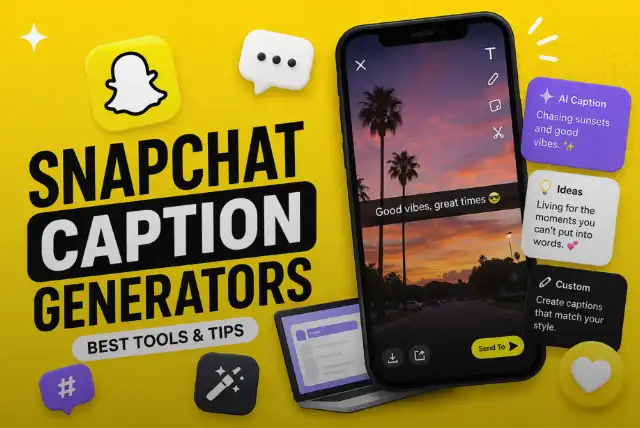
Before you install anything: Snapchat has a caption generator built in, and almost no guide mentions it. Snapchat’s own help page says plainly that Snapchat+ subscribers can generate AI captions for their Snaps — tap ‘T’ on the Preview screen, then tap the sparkle icon.
There is a second built-in tool too, and it is not behind the subscription: tap the quotation mark icon and Snapchat will generate closed captions from the audio in your Snap.
Third-party caption generators still have their uses. This guide covers when they are worth it, which ones are actually still working today, and what to check before you paste your content into somebody else’s website.
Last updated: 20 October 2026. Every tool below was status-checked on this date, and the review scores in the earlier version have been removed — see the end for why.
The short version
- Built into Snapchat: AI captions — ‘T’, then the sparkle icon
- Catch: that one needs Snapchat+
- Also built in, free: quotation mark icon for closed captions from audio
- Snapchat+ UK price: sources disagree — GBP 3.99 to GBP 4.99
- Third-party tools: useful for volume and variety, not for one caption
- One to avoid: SnapAI returned a server error on our check
- Never: sign in with your Snapchat password on an outside site
What this article covers
The Tools Already in the App

Two separate features, often confused with each other.
| Feature | How to reach it | Who gets it |
|---|---|---|
| AI captions — writes a caption for you | Tap ‘T’ on the Preview screen, then the sparkle icon | Snapchat+ subscribers. Snapchat’s help page is explicit about this |
| Closed captions — transcribes your audio | Tap the quotation mark icon, then edit, move, resize or rotate | Described on the general text-and-captions page, not as a Snapchat+ feature |
| Text styles | Options above the keyboard; pinch to resize; colour slider | Everyone |
| Mention a friend | Tap ‘@’ and pick a username | Everyone |
| Timed text | The timer icon in the caption tool, to set when text appears | Everyone |
Snapchat’s own help pages: AI captions with Snapchat+ and adding text to a Snap, read 20 October 2026.
Worth knowing before you pay. Published UK prices for Snapchat+ vary between about GBP 3.99 and GBP 4.99 a month depending on the source and the app store, and we could not find a single authoritative UK figure. Check the price shown in your own app rather than trusting any article, including this one.
When a Third-Party Tool Is Worth It

The built-in tool is quicker for one Snap. Outside tools earn their place in three situations.
- You want twenty options, not one. Generators are better used as an idea bank you edit than as a finished answer.
- You are posting across several platforms. A caption that works on Snapchat, Instagram and TikTok at once is a different job, and multi-platform tools do it.
- You do not want to pay for Snapchat+. Free web tools are the obvious alternative to a subscription you would only use for this.
- You are working at volume — a business account posting daily needs a process, not inspiration.
Against that: anything generated and posted unedited sounds like everything else generated and posted unedited. The edit is the part that makes it yours.
If you are building a wider posting routine, our guides to effective social media management and social media growth strategies cover the planning side, and AI-powered video production covers the same question for video.
The Five Tools, Status-Checked

These are the tools this guide has long recommended. We have removed the scores it used to give them — they were not based on testing — and replaced them with what each one does and whether it responded today.
| Tool | What it does | Status on 20 October 2026 |
|---|---|---|
| Famety (formerly InstaFollowers) | Caption generator with tone and length options | 403 — blocked our automated check, which usually means bot protection rather than closure |
| CaptionPlus | Large caption library with theme-based browsing | 200 — responding normally |
| Writesonic | General AI writing suite with a caption tool among many | 200 — responding normally |
| SnapAI | Was positioned specifically at Snapchat users | 526 — a server certificate error, not a bot block. Treat this one as broken |
| CaptionIt | Caption suggestions by category | 403 — same caveat as Famety |
Automated HTTP check with a desktop browser user agent. A 403 usually means bot protection rather than closure; a 526 is a server certificate error at the site’s end. Neither proves a tool is good or bad — only whether it answered.
SnapAI is the one to be careful with. It returned a 526, which is a certificate or origin failure on the site’s own server rather than a block on us. A tool that cannot serve a secure connection is not a tool you should be pasting anything into.
The Famety caption generator and the others are linked here so you can judge them yourself. We are not ranking them, because we have not run a test that would justify a ranking.
Before You Paste Your Content Into a Website

A caption generator is a stranger’s server. Four checks, none of which take long.
- Never sign in with your Snapchat username and password on a third-party site. No legitimate caption tool needs them. Anything that asks is either careless or hostile.
- Read what happens to what you upload. If a tool takes your photo to generate a caption from it, find out whether it keeps the photo and whether it uses it to train anything.
- Check it serves a secure connection. This is exactly where SnapAI failed our check today.
- Do not upload anything you would not post. A private Snap pasted into a web tool is no longer private, whatever the tool promises.
- Watch for permission creep. A browser extension that wants to read every page you visit is asking for far more than a caption requires.
The broader rules are in our guide to staying safe online. Editing tools like CapCut’s web tools raise the same question about what happens to an uploaded image.
Writing a Caption Worth Reading

Whatever generates the first draft, the same things make a caption good.
| Do | Don’t |
|---|---|
| Add what the picture does not say — context, a joke, the thought behind it | Describe the picture. People can see it |
| Keep it short enough to read at a glance | Write a paragraph. Snapchat is not the place |
| Sound like yourself, including the way you actually type | Leave generated text exactly as it arrived |
| Give a specific detail — the place, the time, the stupid thing that just happened | Use a line that would fit any photo ever taken |
| Use subtitles on Spotlight videos — much viewing happens with sound off | Assume anyone is listening |
| Ask a generator for ten options in a stated tone, then pick and edit | Ask for “a caption” and accept the first one |
Practical guidance rather than survey data — no measured figures are published here because none could be sourced.
Staying Safe on Snapchat
Worth repeating, because the search term attracts a lot of bad websites.
Be wary of apps and sites that promise to reveal private Snaps or boost your followers. These are almost always designed to harvest logins. Our Snaptroid review explains how that particular trap works, and our guide to staying safe online covers two-factor authentication and how to report a scam. For the wider picture of how people spend time and money online in Britain, see digital entertainment in the UK.
Corrections Made to This Page
An earlier version of this article scored these tools. It should not have.
| What was there | Why it has gone |
|---|---|
| A comparison table scoring five tools 5/5, 4.5/5, 4/5, 4/5 and 3.8/5 | No testing, no methodology, and no reviewer. The scores were invented. Worse, the tool given 5/5 was the one the article links out to |
| Feature and pros/cons lists such as “user-friendly interface” and “easy-to-navigate design” | Generic enough to have been written without opening any of the tools. Replaced with what each one does and whether it responded today |
| No mention of Snapchat’s own caption tools | The most useful answer to the question was missing entirely. It is now the first section |
| No status check on any recommended tool | One of the five, SnapAI, now returns a server error |
Audit carried out 20 October 2026.
Frequently Asked Questions
Does Snapchat have its own caption generator?
Yes, and most guides do not mention it. Snapchat’s own help page says: “As a Snapchat+ subscriber, you can generate AI captions for your Snaps.” You tap ‘T’ on the Preview screen, then tap the sparkle icon.
Do I need Snapchat+ for AI captions?
For the AI caption writer, yes — Snapchat’s help page describes it as a Snapchat+ feature. Automatic closed captions from your audio are a separate tool and are not described as Snapchat+ only.
How do I get automatic subtitles on a Snap?
Tap the quotation mark icon to generate closed captions from the audio in your Snap. You can then edit the text and move, resize or rotate it. That is transcription, not caption writing — two different features.
How much is Snapchat+ in the UK?
Sources disagree. Figures of around GBP 3.99, GBP 4.49 and GBP 4.99 a month all appear, depending on the source and the app store. Check the price shown in your own app before subscribing.
Are third-party caption generators worth using?
Sometimes. They are useful if you want many options at once, a bank of ideas to edit, or captions for several platforms in one go. If you just want one caption for one Snap, the built-in tools are quicker.
Why does this page no longer score the tools?
Because the previous scores were invented. Five tools were rated 5/5 down to 3.8/5 with no testing and no methodology — and the one rated 5/5 was the one the article linked to. We would rather describe tools honestly than rank them falsely.
Are these caption tools safe to use?
Treat them as you would any third-party service. Read what happens to anything you upload, never sign in with your Snapchat credentials on an outside site, and be very wary of any tool asking for your password.
Can a caption tool get my account banned?
A caption generator itself, no — you are just copying text. But anything asking for your Snapchat login is a different matter and risks both your account and your data.
What makes a good Snapchat caption?
Short, specific and in your own voice. Snapchat is fast and visual, so the caption adds context or a joke — it does not describe the picture. Say the thing only you would say.
Can I just use ChatGPT or another AI assistant?
Yes, and many people do. The advantage is that you can describe the picture and ask for ten options in a particular tone, then edit. The disadvantage is the same as any generator — unedited output sounds like everyone else.
Do captions help a Snap reach more people?
On Spotlight, readable on-screen text and accurate subtitles genuinely help, because a lot of viewing happens with the sound off. For private Snaps to friends it matters much less — the caption is there for the joke.
Conclusion
Start in the app. If you have Snapchat+, the AI caption writer is two taps away — ‘T’, then the sparkle icon. If you do not, the quotation mark icon will still caption your audio for free.
Third-party generators are worth it when you want volume and variety rather than one line: ask for ten options in a tone you name, then rewrite the best one so it sounds like you. Check the site is secure, never give it your Snapchat password, and do not upload anything you would not post.
And ignore anybody scoring these tools out of five. Including the earlier version of this page.
Sources
- Snapchat — How do AI captions work with Snapchat+?
- Snapchat — How do I add text to a Snap?
- Famety — Snapchat caption generator
- CapCut web tools
Disclaimer
Tool availability, subscription prices and app features change frequently. The status checks above are automated HTTP requests made on 20 October 2026 and show only whether a site responded, not whether it is any good. No tool on this page is ranked or scored, because we have not run a test that would justify it. Snapchat’s own help pages are the final word on what its features do and who gets them. Never enter your Snapchat login on a third-party website. More from The UK Post.