Online Entertainment at Home: A UK Household Guide to What to Watch, Play and Listen To
A UK household guide to online entertainment at home, with ideas for every occasion, the kit you need, what each service costs a year and simple screen time rules.
 Updated
9 min read
Comments: 0Views: 140
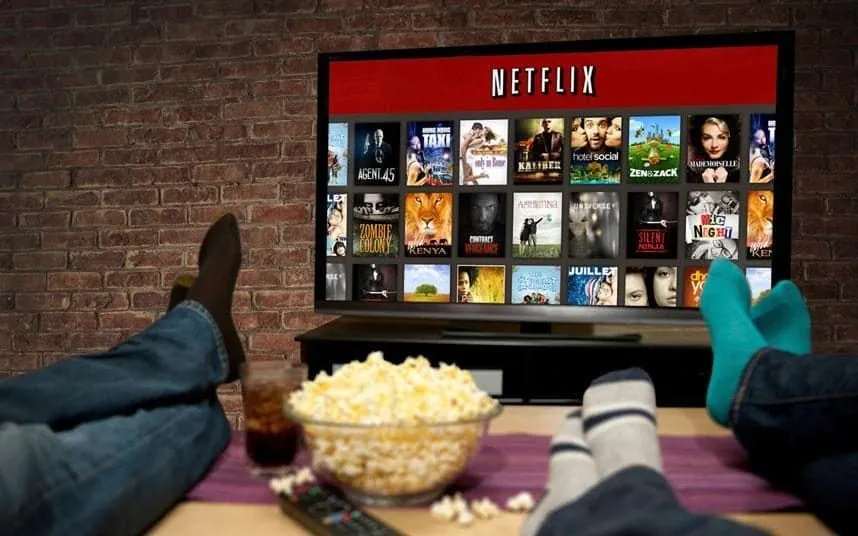
The best online entertainment is the kind that fits your household: a good film for a quiet night in, a game the whole family can play, a podcast for the school run, or a video call quiz with friends in another city. This guide is organised by occasion rather than by platform, so you can jump to what you need tonight. It also covers the equipment worth having, what a typical UK household spends in a year, and simple house rules that keep screen time enjoyable.
Start With the Right Set-Up
You do not need expensive kit to enjoy online entertainment at home, but a few basics make a big difference.
- A smart TV or streaming stick. Most TVs sold in the UK in recent years come with Freeview Play, which puts the main free catch-up apps in one place. An older TV can be upgraded with an inexpensive streaming stick plugged into the HDMI port.
- Enough broadband. Netflix suggests about 5 Mbps for Full HD and 15 Mbps for 4K on each screen. A household streaming on two TVs while someone games online will want a comfortable margin above that, and a wired connection for the games console helps.
- Good sound. A soundbar or decent headphones often improves films and games more than a new TV would.
- A shared calendar of subscriptions. A simple note on your phone listing each service, its price and its renewal date stops forgotten payments.
Ideas for Every Occasion
A Night In on Your Own
This is where paid streaming earns its place. Choose one service whose shows you genuinely want to watch rather than signing up to several at once. If you like discovering something new, YouTube is full of long-form documentaries, video essays and full concerts that rarely appear on TV. For something more relaxing, try an audiobook or a slow, story-led game you can dip in and out of.
Family Film Night
Disney+ is the obvious choice for families with young children, while Netflix and Prime Video have a wide range of family films. The free catch-up services from ITV, Channel 4 and Channel 5 also carry family films and series at no cost. Before the evening, set up a child profile on each service so younger viewers only see age-appropriate titles, and let each person take turns choosing the film to avoid twenty minutes of scrolling.
Staying Close to Friends and Family Far Away
Online entertainment can be social. Ideas that work well over a video call:
- A weekly quiz night, with each person writing one round.
- Online versions of chess, word games and classic board games, many of them free.
- Starting the same film at the same time and chatting on a call or in a group message.
- Playing a co-operative online game together, which suits grandparents and grandchildren surprisingly well when the game is simple.
The Commute, the Gym and the Chores
Audio is the easiest entertainment to fit into a busy day. Podcasts cover every interest imaginable, from true crime to football to history. BBC Sounds is free and includes live radio and BBC podcasts. Music streaming services all have free or paid tiers, and audiobooks turn a long drive into something to look forward to. If you are new to it, our step-by-step guide on how to listen to a podcast walks through every device.
A Rainy Weekend With Children
Mix screen time with activities that get children making something rather than only watching:
- Follow-along drawing, craft and cooking videos on YouTube Kids.
- Building games such as Minecraft, which reward creativity and planning.
- Free virtual tours of museums, zoos and aquariums through Google Arts & Culture and the venues’ own websites.
- Making their own short video or stop-motion animation on a phone or tablet.
Check the PEGI age rating on every game and the age guidance on films before they start.
When Money Is Tight
You can be entertained for nothing. Your local library service will usually lend ebooks, audiobooks and digital magazines free through apps such as Libby and BorrowBox, using just your library card. YouTube, the free catch-up apps, free music tiers, BBC Sounds, podcasts and free-to-play games add up to more entertainment than anyone could get through. Lichess offers completely free chess with no adverts.
Learning Something New
Entertainment and learning overlap more than ever. Duolingo turns language practice into a daily game. Many UK universities and museums post free lectures and talks online. Photography, cooking, guitar and coding all have excellent free beginner courses on YouTube. If you are curious about virtual reality, many headsets now include fitness and educational apps, but try one before buying, as comfort varies from person to person.
What a Household Spends in a Year
Monthly prices look small but add up. Here is what the main services cost over a full year at the prices we checked in November 2026. Confirm current prices with each provider before you subscribe.
| Service | Cost per year |
|---|---|
| Netflix Standard with adverts / Standard / Premium | £95.88 / £167.88 / £251.88 (paid monthly) |
| Disney+ Standard with adverts / Standard / Premium | £83.88 / £143.88 / £191.88 (paid monthly) |
| Amazon Prime, including Prime Video | £95 paid yearly, or £107.88 at £8.99 a month |
| Spotify Premium Individual | £155.88 (paid monthly) |
| PlayStation Plus Essential | £59.99 paid yearly |
| TV licence (needed for live TV and BBC iPlayer) | £180 |
A household with Netflix Standard, Disney+ Standard, Amazon Prime on monthly billing and Spotify Premium would pay £575.52 a year, before the TV licence. Swapping both video services to their ad-supported plans saves £132 a year.
Five Ways to Cut the Bill
- Keep one video service at a time. Subscribe while a series you love is on, then cancel and move on. Monthly UK plans can be cancelled whenever you like.
- Pay yearly only for what you use all year. Amazon Prime and PlayStation Plus both cost less on annual billing, but only if you would keep them for twelve months anyway.
- Check your contracts. Broadband, mobile and pay-TV packages often include a streaming service, so you may already have one.
- Use family and student plans. Music services offer cheaper family, duo and student plans, and Netflix lets you add extra members to an account for a fee.
- Review every three months. Your banking app or phone’s subscription settings show every recurring payment in one place.
Online Casino Games for Adults
Some adults include online casino and bingo games in their entertainment. If that is you, it pays to know what you are signing up to. Review and comparison sites cover the casinos available to players in the UK, including offshore sites that sit outside GamStop, and they help you compare games, payment methods and withdrawal times before you register anywhere.
The most important difference is protection. A site licensed by the Gambling Commission must follow UK safer-gambling rules and take part in GamStop, while an offshore site does not, so check the licence details at the foot of any casino’s homepage. Treat any real-money game as paid entertainment with a fixed budget, the same way you would treat a cinema ticket, and never as a way to make money.
Staying Safe With Real-Money Games
Real-money gambling is only for adults aged 18 and over. Decide your budget and time limit before you start, never chase losses and never use money meant for bills. If you have chosen to self-exclude, that decision is there to protect you. The National Gambling Helpline on 0808 8020 133 offers free, confidential support at any time. See our guide to GamStop and gambling support.
House Rules for Healthy Screen Time
The households that enjoy online entertainment most tend to agree a few simple rules together rather than arguing about them each evening:
- Screens off at meals and an hour before bed.
- Autoplay off on YouTube and streaming apps, so finishing one episode is a natural stopping point.
- Devices charge outside bedrooms overnight, for adults as well as children.
- One shared activity a week, such as a film night or a family game, so screens bring people together.
- Weekly check-ins on the screen-time reports built into iPhone and Android, without blame.
For ideas when you only have a few minutes spare, see our guide to quick digital fun for busy days and our look at online entertainment trends in the UK.
Read Also: Quick Digital Fun: Best Short Activities for Busy Days
FAQs
What is the best online entertainment for families?
Disney+ for younger children, Netflix or Prime Video for mixed ages, the free ITV, Channel 4 and Channel 5 catch-up apps for no-cost films, and building games such as Minecraft for creative play. Set up child profiles on every service first.
What broadband speed do I need for streaming?
Netflix suggests about 5 Mbps for Full HD and 15 Mbps for 4K on each screen. Add these together for every device streaming at the same time, and leave room for gaming and video calls.
Can I add someone outside my household to my Netflix account?
Netflix accounts are meant for one household, but on some plans you can add an extra member who lives elsewhere for a monthly fee.
How can I get online entertainment for free?
Use your library’s free ebook and audiobook apps, YouTube, the free ITV, Channel 4 and Channel 5 catch-up apps, BBC Sounds, podcasts, free music tiers and free-to-play games.
How much does the average household spend on streaming?
It varies widely. At November 2026 prices, two standard video services, Amazon Prime and Spotify Premium come to about £575 a year, while one ad-supported service plus free apps can cost under £100.
Is online casino gaming legal in the UK?
Yes, for adults aged 18 and over. Sites licensed by the Gambling Commission follow UK safer-gambling rules and take part in GamStop. Offshore sites are not covered by those protections.