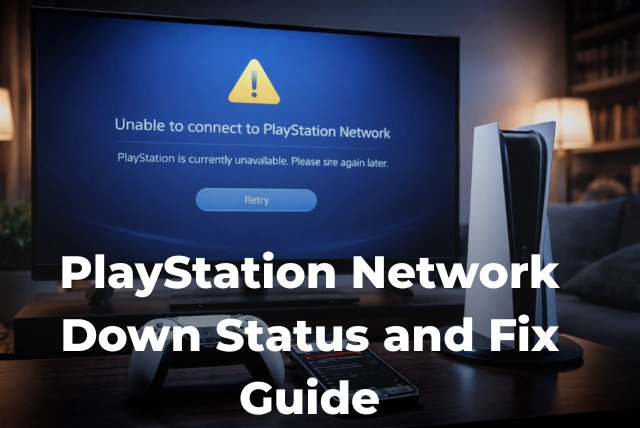

You finally get some free time, grab your controller, and launch your game—only to find that nothing is working. The screen won’t load, multiplayer won’t connect, and suddenly you’re stuck wondering what just happened. It’s one of the most frustrating experiences for any gamer. If you’re here asking whether the PlayStation Network is down, you’re definitely not the only one dealing with it right now. These outages can happen unexpectedly and leave millions of players confused and annoyed. In this article, we’ll walk you through how to check the PSN status in seconds, explain the real reasons why the PlayStation Network goes down, and show you practical ways to fix common issues so you can get back to gaming without wasting time.
Is PlayStation Network Down Right Now?
There’s nothing more frustrating than planning a gaming session only to find that you can’t even log in. When you start asking yourself if the PlayStation Network is down, the first thing to know is that outages are more common than you might think. According to Statista, PlayStation Network serves over 110 million users worldwide, which means even a small issue can quickly affect millions at the same time. Sometimes the problem is global, while other times it might only impact certain regions or services like gaming, account login, or the PlayStation Store. The quickest way to confirm is by checking official sources or real-time reports rather than guessing. If multiple players are reporting the same issue, chances are high that PSN is currently experiencing downtime rather than a problem on your end. For the latest gaming news, you can also check latest gaming news for updates and ongoing issues.
How to Check PSN Server Status in Real Time
When things stop working, your first instinct might be to restart your console or check your internet, but before doing that, it’s smarter to verify the actual server status. The easiest way is to visit Sony’s official PlayStation Network status page, which shows whether services like gaming, account management, and the PlayStation Store are running smoothly or facing issues. As reported by Forbes, many players also rely on third-party platforms like Downdetector, where you can see live outage spikes and user reports within minutes of a problem starting. Social media platforms can also be surprisingly helpful, as outages tend to trend quickly when thousands of users are affected at once. By checking multiple sources, you can quickly confirm whether the issue is widespread or something specific to your setup. For more PlayStation updates, you can visit PlayStation updates to stay informed.
Why the PlayStation Network Goes Down
When the PlayStation Network suddenly stops working, it’s easy to assume something has gone seriously wrong—but in reality, there are several common reasons behind these outages. One of the biggest causes is server overload, especially during major game launches or updates when millions of players try to log in at the same time. According to Forbes, traffic spikes during popular releases can overwhelm even large-scale systems like PSN. Another major factor is scheduled maintenance, where Sony temporarily takes services offline to improve performance or fix bugs. In more serious cases, outages can be caused by cyberattacks such as DDoS attacks, which flood servers with traffic and disrupt access. Technical glitches and software bugs can also play a role. Understanding these causes helps you stay calm during downtime and recognize that most issues are temporary. You can follow broader technology trends to better understand how large networks handle such disruptions.
Common PSN Errors and What They Mean
If you’ve ever seen random error codes pop up while trying to connect, you’re not alone. These messages can feel confusing, but they usually point to specific issues. Some errors indicate server problems, while others relate to login failures or connection timeouts. According to BBC, unclear error messaging has often added to user frustration during major disruptions. For example, a sign-in error might mean PSN servers are overloaded, while connection errors could suggest instability between your console and Sony’s network. Understanding these basic differences helps you avoid unnecessary troubleshooting and focus on the real issue. If you’re unsure how to respond, checking fix common tech issues can give you practical solutions tailored to different error types.
How to Fix PlayStation Network Not Working
Once you’ve confirmed that the issue might not be a full outage, there are a few simple steps you can take to fix things quickly. Start by restarting your console and router, which can resolve many temporary glitches. If that doesn’t work, check your internet connection and ensure your system software is up to date. As highlighted by Statista, millions rely on stable connectivity, so even minor local issues can interrupt access. You can also try signing out and back into your account or switching networks if possible. These steps won’t fix a global outage, but they can solve most personal connection problems. For ongoing server status updates, staying informed can save you time and effort.
How Long Do PSN Outages Usually Last?
One of the most common questions players ask is how long they’ll have to wait. The answer depends on the cause of the outage. Minor issues or maintenance periods may last only a few minutes to a couple of hours. However, larger disruptions can take longer to resolve. As reported by BBC, the infamous 2011 outage lasted over three weeks, showing how serious incidents can extend downtime significantly. Thankfully, most modern outages are resolved much faster due to improved infrastructure and monitoring. While waiting can be frustrating, understanding that most problems are temporary can make the experience a bit easier to handle.
What to Do During a PSN Outage
When PSN goes down, there’s often little you can do to restore access immediately—but that doesn’t mean you’re completely stuck. First, confirm the outage using trusted sources so you don’t waste time troubleshooting unnecessarily. According to Forbes, outages often trigger massive online discussions within minutes, making it easy to verify widespread issues. Once confirmed, consider switching to offline games or single-player modes that don’t require internet access. It’s also a good time to catch up on updates or explore features you might have ignored. Staying patient and informed is the best approach while waiting for services to return.
Can You Prevent PSN Connection Issues?
While you can’t prevent global server outages, you can reduce the chances of running into connection problems on your end. A stable internet connection is key, along with keeping your console updated and properly configured. Data from Sony reports highlights how infrastructure improvements continue to enhance reliability, but user-side setup still plays a big role. Using a wired connection instead of Wi-Fi, regularly updating system software, and maintaining strong network settings can all help. These small steps won’t stop PSN from going down, but they can ensure your experience remains smooth when the network is functioning normally.
Major PlayStation Network Outages in History
Over the years, PSN has experienced several notable outages that have shaped how the service operates today. The most significant was the 2011 breach, where millions of accounts were affected and services remained offline for weeks. According to BBC, this incident led to major improvements in cybersecurity across the gaming industry. Since then, Sony has invested heavily in infrastructure and protection systems to prevent similar events. While smaller outages still occur, they are usually resolved much faster and with less impact. Looking back at these events provides valuable context for understanding how far the network has come.
Is PSN Down or Is It Just Your Internet?
Sometimes the issue isn’t with PSN at all—it might be your own connection. Before assuming the PlayStation Network is down, it’s worth checking your internet speed, router status, and network settings. As noted by Statista, the increasing reliance on online gaming means even minor connectivity issues can disrupt access. Try testing another device or running a connection test on your console to confirm. If everything else is working fine, then the problem is likely on Sony’s end. Knowing how to quickly identify the difference can save you time and help you take the right action without unnecessary frustration.
Conclusion
Dealing with a PlayStation Network outage can be frustrating, especially when all you want to do is relax and play. But the key is knowing how to quickly figure out what’s going on. Whether the PlayStation Network is down due to server overload, maintenance, or unexpected technical issues, most problems are temporary and get resolved faster than you might expect. By checking reliable sources, understanding common causes, and trying simple fixes, you can avoid unnecessary stress and get back online sooner. And even when PSN is down, having a backup plan—like offline games—can make the wait a little easier. Staying informed is always your best advantage.
FAQs
How do I know if PlayStation Network is down?
The fastest way is to check the official PSN status page or use platforms like Downdetector. If you see a spike in user reports or multiple services showing issues, it’s likely a widespread outage rather than a problem on your end.
Why is my PSN not working but the internet is fine?
This usually means the issue is with PlayStation servers rather than your connection. It could be due to maintenance, server overload, or temporary technical problems affecting login or online gameplay services.
How long does a PSN outage last?
Most outages are resolved within a few minutes to a few hours. However, larger issues can take longer depending on the cause. Major incidents are rare but may extend downtime significantly.
Can I fix PSN issues myself?
If it’s not a global outage, you can try restarting your console, checking your internet connection, or updating system software. These steps often fix local issues but won’t work during full server downtime.
Does PSN go down often?
PSN is generally reliable, but occasional outages do happen due to maintenance, high traffic, or unexpected technical issues. With millions of users worldwide, even small disruptions can affect many players at once.